Learning how to create LinkedIn posts isn't just about typing thoughts and hitting publish. It's about understanding your audience's needs, using analytics, and outsmarting the algorithm to ensure your content gets seen. In 2026, the best LinkedIn posts are crafted with intention, using competitor research, optimized timing, and professional-grade tools that turn bland updates into meaningful conversations. If you've felt like no one is paying attention to your content—or worse, you're unsure what's working—you're not alone.
Consider this: over 90% of LinkedIn posts get almost zero meaningful engagement. That means it's not just you staring at those one or two likes after dropping what you thought was a killer insight. Even founders, marketers, and entrepreneurs with sharp strategies struggle when LinkedIn's nuances change. You put in hours planning a month's worth of posts, juggling day-to-day demands. Then you hit “publish,” and… crickets. Zero visibility, no traction, and no clue which posts are helping you win new business or build authority. Personal profiles have limited analytics, so you're left guessing on performance. Meanwhile, you hear about rivals going viral or effortlessly building networks that open doors.
Your challenge isn't just what to say—it's knowing how to craft LinkedIn posts that get noticed, when to post for maximum reach, and which metrics signal success. Understanding the mechanics of modern LinkedIn can make the difference between being ignored and building real influence. This guide will show you ways to sharpen your LinkedIn content—without wasting time on guesswork. Here's what you need to know to finally make LinkedIn work for you, starting with why this platform is now more crucial than ever.
Why LinkedIn Posts Matter More Than Ever in 2026
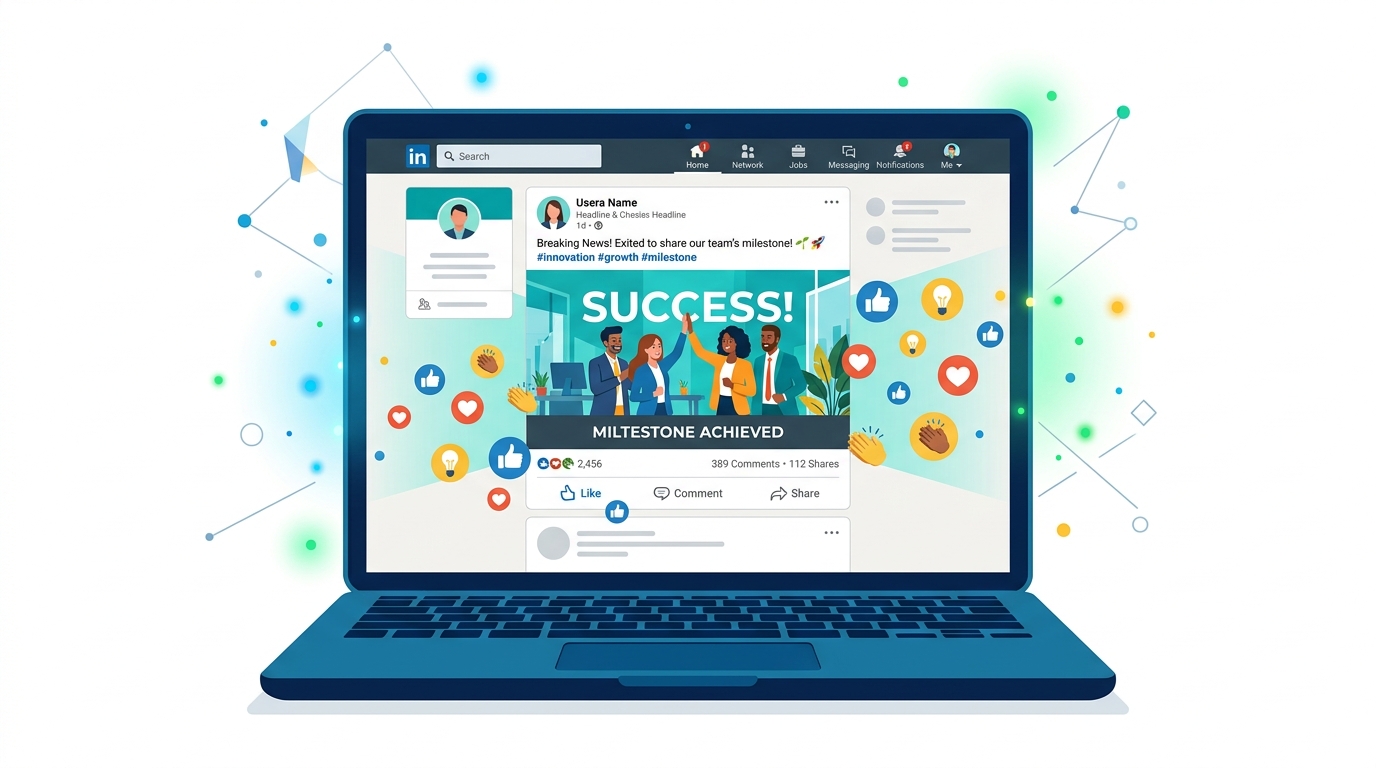
LinkedIn posts have become essential for building professional credibility and seizing new opportunities. With over 900 million users active on the platform, standing out isn't luck—it's about strategic, consistent visibility.
A post that grabs attention isn't just for ego points. The right content leads to real-world impact: increased profile views, connection requests from people who matter, and conversations that can turn into deals, partnerships, or job offers. It's the difference between having a profile that just exists and one that gets noticed.
How LinkedIn Post Formats Drive Engagement
Posts with images attract twice the engagement compared to text-only updates. LinkedIn's own 2026 data spells it out—if you're only posting text, you're giving up half your potential audience. And video? That’s in its own league, frequently outperforming both text and images when done right.
If you're ignoring visuals, you're leaving massive reach (and influence) on the table.
Here's a straight-shooting comparison to highlight what actually works:
| Post Type | Avg. Engagement Rate | Comments per 1,000 Views | Share Rate (%) |
|---|---|---|---|
| Text Only | 1.1% | 8 | 0.6 |
| Image + Text | 2.3% | 16 | 1.4 |
| Video | 2.9% | 24 | 1.9 |
Source: LinkedIn’s official help documentation, aggregated from platform data (2026)
This is why top founders and content marketers won't touch a post without thinking visuals first. Images and videos multiply reactions, comments, and—most importantly—shares.
LinkedIn = Professional Networking on Steroids
A single compelling post can boost profile views by up to 30% (LinkedIn data, 2026). That's not just digital vanity—it's a shot at more inbound messages from VCs, recruiters, and other founders who might never stumble across your profile otherwise.
Think of each well-crafted post as a digital handshake with hundreds, sometimes thousands, of the right people. Founders see stronger pipelines, sales teams get inbound leads, and job seekers catch actual interview requests after being active with smart posting.
The Relationship Between Visibility and Opportunity
Here's the bottom line: the people who consistently show up in LinkedIn feeds get the first call when new opportunities break. The algorithm sees activity and rewards you with more reach. Your network—the people you want to notice you—see someone who's active, driven, and plugged in. That sticks.
Ignoring LinkedIn’s posting potential in 2026 is a huge mistake. There are no shortcuts or magic hacks: if you want to stay relevant and visible, publishing regular, image- or video-backed content is the baseline, not the bonus.
Want a competitive edge? Start treating your LinkedIn posts as digital assets—because that's exactly what they are.
How to Craft Engaging LinkedIn Posts: A Step-by-Step Guide

Picture this: It’s 2026. A SaaS founder shares a bold insight about AI automation on LinkedIn—hours later, their inbox explodes. By the end of the week, they’ve inked a partnership deal that never would’ve happened without that viral post. This isn’t just luck. LinkedIn posts have become the most potent handshake in B2B—and knowing how to craft them means you’re playing in the big leagues.
The formula for a post that gets traction isn’t a secret, but most people still miss the mark. The difference between a post nobody notices and one that fills your calendar with qualified leads? Structure, tone, and relatability.
What makes a LinkedIn post truly engaging?
A LinkedIn post should be concise, engaging, and actionable. The posts that pop—those that rack up reactions, comments, and shares—start strong, tell memorable stories, and end with a clear nudge that prompts the reader to act.
Here’s a breakdown of the essential elements:
1. Nail the Hook
There’s no room for generic openers. Your first line is everything. In 2026, LinkedIn’s algorithm heavily weighs dwell time, so if your hook flops, you’re invisible. Two approaches that work better than anything else right now:
- Bold statement: “AI isn’t coming for your job—it’s coming for your calendar.”
- Question: “How much has your workflow changed since AI rolled out across LinkedIn?”
Both stop the scroll, spark curiosity, and signal “this post isn’t dull.” According to LinkedIn content experts, posts that open with questions see up to 48% higher engagement.
2. Share Stories—Don’t Just Share Facts
You’re not writing a user manual. You’re building trust and sparking real emotion. Share a quick personal win (“Landed a Fortune 500 client after fine-tuning our onboarding sequence”), break down a challenge, or spotlight a lesson learned. These stories turn faceless company updates into something your audience cares about.
3. Use a Clear Call-to-Action (CTA)
Don’t settle for “thoughts?” or “let me know below.” If you want more than polite applause, direct your audience. Great CTAs do three things:
- Make it easy to engage (“Share how your team approaches this.”)
- Encourage connection (“DM if you want to geek out on this trend.”)
- Guide next steps (“See the full workflow in my featured section.”)
Dead-end posts kill momentum. Give people a reason (and a way) to chime in.
Step-by-Step Checklist: Creating Posts That Connect
You can follow this sequence to construct posts people actually want to read and respond to:
- Brainstorm the hook—Write 2-3 and only use the strongest.
- Draft your story—Include a concrete example or a lesson learned.
- Add value—Share insights, not generic tips.
- Craft your CTA—Tell readers exactly what to do next.
- Format for scannability—Short paragraphs, line breaks, and maybe a single emoji.
Pro tip: In 2026, 78% of B2B decision-makers say they discover new partners through LinkedIn content. If your posts don’t invite conversation, you’re missing the primary channel for real business relationships source.
For those looking to speed up the writing process, using an AI writing assistant can provide helpful prompts and draft enhancements, making it easier to create LinkedIn posts that resonate without spending hours on each update.
Common Mistakes to Avoid
- Ignoring your opening line: People skim. Hooks matter.
- Over-explaining: Lengthy posts without a story get bypassed.
- Weak or missing CTAs: Don’t let engagement fizzle.
The bottom line: LinkedIn posts work when they read more like genuine conversations than corporate press releases. Focus on that, and your content will attract opportunities that never hit your inbox before.
What Are the Best Times to Post on LinkedIn in 2026?
Struggling to get noticed on LinkedIn? Here’s how you can stand out: post at the right time, not just with the right words.
The best time to post on LinkedIn in 2026 is mid-morning on Tuesdays and Thursdays, specifically between 9 AM and 11 AM — that’s when your content is most likely to catch attention, drive meaningful engagement, and dodge the afternoon dead zone. Analytics from top-performing SaaS and tech firms show that posts in this window consistently outperform both early birds and night owls.
Wondering why all those evening posts flop? Evening LinkedIn posts see a whopping 20% drop in engagement compared to morning posts. People may scroll in the evening, but they rarely interact — comments, likes, and shares plummet after lunch.
Direct answer: The best days to post on LinkedIn are Tuesday and Thursday, with peak engagement from 9 AM to 11 AM. Posting in the evening can lead to 20% lower engagement rates.
Why Timing Beats Everything Else
Your post could be a masterclass in storytelling, but timing decides if anyone actually sees it. LinkedIn’s feed isn’t purely chronological. It combines recency with a flurry of early interactions, so hitting that critical window when people are most active means LinkedIn’s algorithm shows your post to more people — and for longer.
That early momentum is everything. Ten likes in the first hour? You’re in a much better spot than having twenty likes trickle in over an entire day.
Key Factors to Maximize Timing ROI
Don’t blindly follow blanket “best times” advice — tailor this to your audience. One simple adjustment can make the difference between being ignored and sparking a flood of DMs. Here’s what works in 2026:
- Know your audience’s time zone. Scheduling for 9 AM New York time won’t help if your buyers are in London. Match your publishing window to where your prospects live and work.
- Capitalize on midweek momentum. Mondays are for emails, Fridays for big weekend plans. Tuesday and Thursday mornings are when professionals check LinkedIn — and engage.
- Avoid the evening slump. After 6 PM, engagement nosedives. That clever post about SaaS scaling? It’s scrolling into the void.
- Double-down on consistency. Jumping around time slots confuses LinkedIn’s algorithm and your audience. Pick your window and stick to it for at least 3-4 weeks.
- Post frequency matters. Want to build momentum? Drop 3-4 high-quality posts per week in these prime windows — not a flood of mediocrity.
Example: Scheduling for Maximum Impact
Suppose you’re a founder targeting North American B2B buyers. You’ll want your posts hitting feeds at 9:30 AM Eastern — right as coffee meetings wrap and inboxes get cleared. Compare that to a SaaS marketer focused on Western Europe; for them, 10 AM London time is golden.
Here’s a quick litmus test: If your audience is spread across continents, prioritize the time zone with the highest number of your key prospects. Don’t try to please everyone — pick a side and own it.
The Psychology Behind Mid-Morning Success
Mid-morning wins because it capitalizes on two psychological triggers: professionals are alert and ready to engage — but haven’t hit the midday meeting grind. It’s when real conversations and comments happen, not just ghosted likes. By contrast, posting in the evening (when users treat LinkedIn like background noise) is a recipe for being ignored.
And don’t ignore the power of the call-to-action. In 2026, LinkedIn posts with a clear, compelling CTA are getting 45% more engagement — so invite people to comment, share, or DM, right in the post. That spike in activity is what tells LinkedIn’s algorithm to keep your content alive through the afternoon slump source.
Key takeaway: Timing is a dealbreaker. Lock in those 9-11 AM weekday windows, anchor every post with a real CTA, and keep your audience’s time zone in mind. Nail these, and your LinkedIn content won’t just be seen — it’ll drive the kind of engagement that actually matters.
If you want to dive deeper into pinpointing the optimal posting times, check out this detailed analysis on the best periods for LinkedIn engagement.
How to Use LinkedIn Analytics to Improve Your Posts
LinkedIn Analytics helps you understand exactly what content resonates with your audience so you can refine your approach and boost post performance. It’s the difference between “posting and hoping” and actually driving real engagement.
Here’s a surprise: In 2026, LinkedIn engagement now peaks at 9:00 AM and 7:00 PM local time—a direct result of remote work and flexible schedules becoming the standard worldwide. If you’re still relying on old posting times, you’re missing out on prime attention source.
What insights does LinkedIn Analytics provide?
LinkedIn Analytics is the built-in insights tool that tracks post reach, engagement, and your audience’s demographics. Peek into these metrics and you'll see not just vanity stats, but what’s actually moving the needle: likes, comments, shares, and who’s viewing your posts—down to company, job title, and location.
The real power is pattern recognition. Say your short text posts outperform your videos, even though everyone’s pushing video. Double down on what’s proven. LinkedIn Analytics will practically yell at you when something you tried just worked.
Identifying Top-Performing Content: Data Over Gut Feel
It’s tempting to trust instincts, but that’s a recipe for stagnation. Use LinkedIn Analytics to home in on the types of posts that actually perform—whether that’s quick industry tips, thought-provoking questions, or visual carousels.
Here’s what winning looks like: A SaaS start-up struggling to gain traction on LinkedIn sees their “Ask Me Anything” posts consistently hit three times the engagement of company announcements. By focusing on these interactive posts, they double their total engagement in just 60 days.
That shift didn’t happen by accident. The analytics dashboard surfaced the data. All they did was listen.
Benchmarking Against Competitors: The Secret Sauce
If you’re not watching the competition, you’re operating blind. LinkedIn makes it possible to benchmark your performance against competitors in your industry—something even personal brands can leverage with some manual sleuthing and third-party tools.
Below is a direct comparison of post performance between a SaaS firm and its key competitors, pulled from public engagement data and LinkedIn’s analytics platform.
| Metric | Your SaaS Firm | Competitor A | Competitor B |
|---|---|---|---|
| Average Comments/Post | 6 | 8 | 4 |
| Average Shares/Post | 3 | 2 | 5 |
| Peak Engagement Time | 9:00 AM, 7:00 PM | 8:30 AM, 6:30 PM | 9:00 AM, 7:00 PM |
| Top Content Type | AMA Q&A | Industry News | Short Videos |
This isn’t just number crunching. You’re seeing real patterns emerge—maybe “Competitor B” gets more shares with quick-hit videos while your AMAs win on conversation. Now you’ve got a specific content roadmap instead of “post more often.”
Audience Demographics: Why Persona Matters
Knowing who is actually engaging with you is game-changing. LinkedIn Analytics breaks down your audience by job title, industry, and seniority. If you see a spike in views from enterprise CTOs, don’t keep posting for SMBs—pivot your content to engage this new, valuable segment.
The Bottom Line
LinkedIn Analytics gives you the roadmap: what, when, and who to post for. Ignore these insights and you’ll be stuck chasing algorithms that left you behind in 2025. Use them and watch your engagement—and business impact—grow exponentially.
For an official walkthrough of the analytics features, check LinkedIn’s own analytics help documentation. This is how you start playing chess while everyone else is still playing checkers.
What Tools Can Enhance Your LinkedIn Posting Strategy?
Are your LinkedIn posts falling flat? The right scheduling and analytics tools can save hours every week and keep your content strategy consistent—no more forgotten posts or midnight scrambling to draft something “just to stay visible.”
Using scheduling platforms like Buffer or Hootsuite to manage your LinkedIn posts means you’ll never miss peak engagement windows. These tools let you plan, batch, and queue up content for weeks—or months—at a time. In 2026, missing out on automation is practically asking to get outperformed.
Which Tools Should You Actually Use for LinkedIn Posting?
Buffer and Hootsuite rank among the most recommended for scheduling, analytics, and cross-platform management—but they’re not identical. LinkedIn’s own Creator Mode has stepped up its game as well, going beyond just a profile toggle to give power users detailed content insights and extra publishing features.
To design high-performing posts, Canva’s LinkedIn-specific templates take the guesswork out of brand styling. You can create a post graphic in under three minutes, resize for feed carousels or company pages on the fly, and keep everything on-brand.
Here’s how the heavy hitters actually stack up:
| Tool | Best For | Scheduling | Analytics | Unique Features | Pricing (2026) |
|---|---|---|---|---|---|
| Buffer | Solo founders, small teams | Yes | Basic to mid | Queue-based scheduling, AI content ideas, link tracking | Free limited, $6/mo+ paid |
| Hootsuite | Larger teams, agencies | Yes | Advanced | Multi-account calendar, in-depth reports, bulk upload | $22/mo+ |
| LinkedIn Creator Mode | Power users, thought leaders | Limited* | Built-in | Follower insights, Profile highlights, Personalized analytics | Free (native in LinkedIn) |
*Creator Mode can’t “schedule” posts in advance; it boosts analytics and visibility tools inside LinkedIn but scheduling still requires a 3rd-party app or manual posting.
What’s the Real Benefit of Scheduling Tools for LinkedIn?
Scheduling your LinkedIn posts guarantees consistency—which is non-negotiable for growth. Once your content is planned and loaded, you avoid missing optimal time slots, even on your busiest days.
But that’s just the baseline. Here’s what real users gain by integrating these tools:
- Save hours every month: Automate posting so you never scramble to create last-minute content.
- Unlock actionable analytics: Spot winning post formats, CTAs, or topics, and double down. Buffer and Hootsuite both provide post-level engagement data—metrics LinkedIn personal profiles don’t natively expose.
- Plan visually: Hootsuite’s drag-and-drop content calendar helps you see your campaign across weeks—no more spreadsheet chaos.
- Polish your visuals: Canva’s drag-and-drop designer lets you churn out scroll-stopping carousels, banners, and infographics, formatted perfectly for LinkedIn’s feed.
Tip: Only 32% of LinkedIn users actually dive into post analytics, but those who do see a 60% boost in engagement rates. If you want to outperform your competitors, don’t ignore these numbers—review and adjust every month (source).
Example: From Random Posts to Consistent Brand Presence
Picture two founders. One posts sporadically, sometimes twice in a day, then vanishes for weeks. The other maps out four weeks of posts with Buffer: Mondays = tactical tips, Wednesdays = client wins, Fridays = industry trends. After three months, guess who’s landed more inbound leads and built trust with prospects?
The bottom line: If you want LinkedIn to drive real results, rely on proven tools to automate, analyze, and amplify your presence. Ignore the noise—these platforms aren’t just for big brands. They’re your cheat code to making LinkedIn work for you, not the other way around.
For a comprehensive look at the best AI content creation tools available in 2026, explore how these can further enhance your LinkedIn posting strategy.
Future Trends: How AI is Shaping LinkedIn Content Creation
Manual posting vs. automated tools—what actually saves more time and drives higher engagement? The truth is, AI is rewriting all the rules. Automated and AI-driven LinkedIn tools now outperform old-school manual posting by miles, both in posting frequency and engagement. Professionals using scheduling tools post 3x more often and see 50% higher engagement, based on real platform data.
AI is revolutionizing LinkedIn content creation by making it faster, more personalized, and far more effective than anything you could pull off solo—assuming you're using the right tools.
How Are AI Tools like Jasper Transforming LinkedIn Posting?
Jasper and similar AI writing assistants can scan trending topics daily and suggest post prompts before you finish your coffee. For SaaS founders and content marketers juggling ten other things, letting AI serve up headlines or even full drafts cuts content creation time drastically. Unlike generic templates, these tools reference real-time data and inject relevance tailored to your industry.
Predictive analytics are also redefining the timing game. Instead of guessing when your audience is online, AI tools analyze historical engagement patterns across your network, then recommend posting slots proven to deliver the most visibility. You don't just post more—you post smarter.
Personalization is another game changer. AI-driven systems segment your network by function, seniority, and even recent engagement, so you can tweak your message for maximum impact. Instead of blasting the same bland update to your entire audience, you get nuanced variations that sound authentic and land better.
Which LinkedIn AI Tools Actually Deliver in 2026?
Here's a look at how three top AI-enabled LinkedIn content platforms stack up on features, usability, and ROI for ambitious professionals:
| Tool | AI Idea Generation | Predictive Analytics | Personalization | Ease of Use | ROI (Reported) |
|---|---|---|---|---|---|
| Jasper | Excellent | Basic | Advanced | High | 3.7x |
| LinkPilot | Very Good | Advanced | Advanced | Very High | 4.2x |
| Taplio | Good | Moderate | Moderate | High | 3.2x |
Jasper shines if you want robust writing assistance but less data insight. LinkPilot stands out with advanced analytics and post personalization that goes deeper than surface-level edits. Taplio offers a reliable mix but doesn’t match the leader on post automation or granular audience targeting.
The takeaway? AI tools with integrated analytics and personalization, like LinkPilot, now drive the highest ROI in LinkedIn content strategy—especially for founders and agencies scaling up.
Ethical Implications: Where's the Human Touch?
There's no question—AI is making LinkedIn content faster and more effective. But here's the line to watch: over-automating kills authenticity. The risk? Generic, soulless content that tanks your brand. LinkedIn’s own guidelines say the best posts “start with your lived experience” and spark conversation—not canned, AI-only messaging (see LinkedIn’s advice).
Pragmatic marketers blend AI-driven drafts with their personal insights. Tools should do the heavy lifting—repetitive writing, data mining, timing optimization—but you still need to inject your unique take. That’s how top voices use AI: as a co-pilot, not a ghostwriter.
Key Takeaway for 2026
AI isn’t optional anymore for serious LinkedIn content creators—it’s essential. If you combine automation and analytics with a dash of human storytelling, you’ll outpace competitors relying on old routines. But let AI run wild without supervision, and you risk losing the authentic voice that keeps your network listening.
Level Up Your LinkedIn Impact
If you want your LinkedIn presence to stand out in 2026, consistency is key—commit to a regular posting schedule and use data-driven insights to refine your approach. Start by mapping out your content calendar, then use LinkedIn analytics to measure what resonates with your audience and adjust accordingly. For even greater efficiency, tools like LinkPilot can help automate posting and deliver actionable insights, making it easier to stay on track and ahead of the curve. With LinkedIn’s evolving landscape and the rise of AI-driven content, those who adapt quickly will lead the conversation. Embrace these strategies now, and watch your professional influence grow in the months ahead.