A social media content planner helps you organize, schedule, and analyze your content across LinkedIn and other platforms. It lets you post consistently, target the right audience, and measure results without guesswork. The right planner transforms chaotic, last-minute posting into a strategic content engine that drives engagement and growth on LinkedIn.
Ever notice that, despite your best intentions, LinkedIn ends up on the back burner? You promise yourself regular posts, but business fires pop up, inspiration dries up, or you lose track of what you posted. Suddenly, it’s been three weeks since your last update, and that competitor you admire is racking up reactions and comments, while your profile goes quiet. Worse, LinkedIn analytics barely scratch the surface, leaving you wondering if you’re progressing or just spinning your wheels.
Here’s the truth: your audience can tell when you’re winging it. In 2026, LinkedIn is more crowded and algorithm-driven than ever. Those who win aren’t the loudest voices—they’re the ones with a disciplined social media content planner that turns ideas into impactful, data-backed posts. Your credibility and reach hinge on consistency and knowing what works—and what your competitors are doing differently.
This article doesn’t just talk theory. You’ll learn how to set up a LinkedIn content calendar tailored to your goals, choose tools that give you real analytics, and tap into competitor analysis so you’re never flying blind. Ready to put an end to content chaos and start building authority? Let’s dive in.
Why a Social Media Content Planner is Essential in 2026
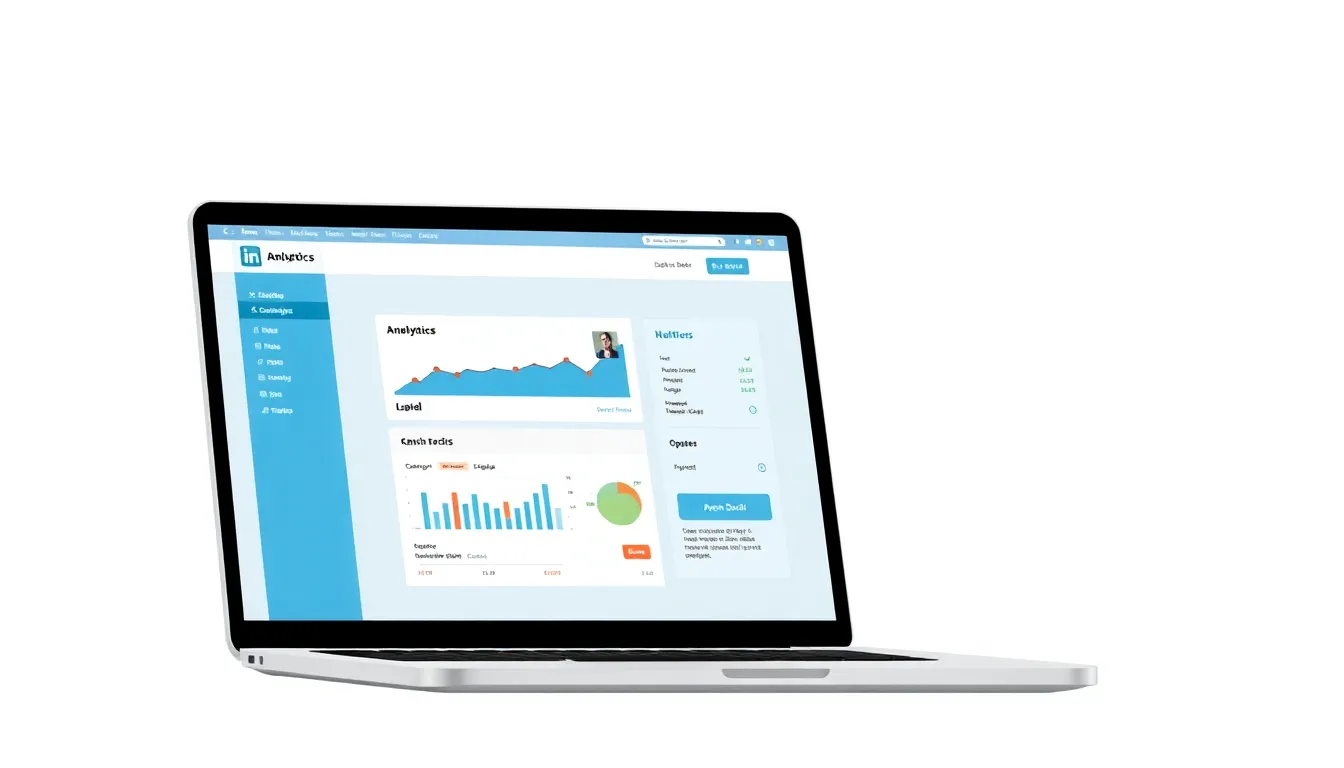
A social media content planner is the difference-maker between noise and results on LinkedIn in 2026. A content planner organizes and schedules your posts, enabling you to hit the right audience at the right time—every single week.
What Does a Social Media Content Planner Actually Do?
A social media content planner helps you map out, create, and schedule content in advance so your posts aren’t just random one-hit wonders. Instead, they become part of a deliberate strategy to maximize reach and engagement on channels like LinkedIn. This means you’re not scrambling for ideas or missing high-traffic windows.
Why Consistency is Non-Negotiable for LinkedIn
LinkedIn’s algorithm has gotten smarter. Sporadic posting? You’ll get buried. Consistent quality posts? That’s what surfaces you in your audience’s feed. Over 90% of businesses now use social media as a core marketing channel (source). If you’re just winging it, you’re already behind.
Professionals who treat LinkedIn like the professional publishing platform it is don’t show up once every few weeks. The real winners publish 3-4 times a week and always have their next topic lined up. Miss a weekday and the engagement drop-off is immediate.
Proof that Planners Work: A Real Example
Look at SaaS companies leading the pack with LinkedIn engagement. One SaaS brand mapped out an entire quarter’s worth of content using a dedicated planner—and saw a 40% jump in post interactions within two months. Before that, their scheduling was ad hoc. Engagement never broke past a plateau, and monthly reach went flat.
Once they moved to a planner, updates landed at peak times, repurposed their “greatest hits” posts, and capitalized on micro-trends instead of reacting too late. It wasn’t luck; it was strategy.
What You Gain from a Social Media Content Planner
Using a planner isn’t just about getting organized—it unlocks strategic advantages no calendar hack can touch:
- Consistency: Your audience never wonders if you’ve disappeared. Showing up means staying top of mind.
- Optimization: Pre-scheduled posts let you hit LinkedIn’s prime engagement hours, maximizing visibility.
- Content Mix Control: It’s easy to balance thought leadership, product education, and curated industry news when you see the whole week or month laid out.
- Collaboration: Team-based planners mean everyone works from the same playbook, reducing miscommunication.
- Performance Tracking: Built-in analytics from platforms like Canva’s Content Planner let you review past winners and double down.
Don’t underestimate the psychological lift—when creators aren’t scrambling for fresh content last minute, quality and creativity both spike.
The Cost of Ignoring Planning in 2026
It’s stunning how quickly you fall behind. LinkedIn is full of founders and marketers who “just post when inspired”—and struggle with invisible posts and missed opportunities. Competitors who embrace structured planning don’t just outpace—they wipe the floor with piecemeal efforts.
The harsh truth? If you’re not using a dedicated social media content planner, you’re invisible to your own network half the month. In 2026, with 9 out of 10 brands executing with surgical scheduling, showing up sporadically is a huge mistake. Planning is the baseline, not a bonus.
How to Create a Social Media Content Calendar

Picture this: It's Monday morning, your coffee's gone cold, and you're staring at LinkedIn wondering what to post. The deadline for “something engaging” is now, and all those half-baked ideas you had last week have disappeared. Sound familiar? This is how most founders and marketers run their social media—reactive, stressful, and unpredictable.
Now imagine the opposite. Your week is mapped out. You know what topic's going out on Thursday, the visuals are prepped, and—here’s the magic—your posts are aligned with your audience’s interests and business goals. That’s the difference a social media content calendar makes.
A content calendar schedules posts, ensuring consistent and timely content delivery so you never scramble for ideas or miss critical engagement opportunities.
What makes a content calendar for LinkedIn different?
LinkedIn’s audience is laser-focused on business value. Random memes or last-minute product pitches won’t cut it. Here’s what actually works: running your profile with intention, picking themes, and lining up posts that drive real engagement. According to Sprout Social’s 2025 survey, 68% of B2B marketers saw higher engagement after switching to a structured content planner—that’s not a minor lift; it’s a game changer source.
Core steps to build your LinkedIn content calendar
1. Identify your core themes
Start by drilling down to 3-5 topics your audience cares about—think “SaaS growth tactics,” “tech hiring strategies,” “founder lessons,” or “market trends in cloud computing.” Sticking to themes builds authority and keeps your posts top of mind for the right people.
2. Plan your slots: format and timing
What mix do you want—text posts, thought leadership carousels, polls, case studies, or video snippets? Map it out for the week or month. Weekdays Tuesday-Thursday, 8-10 AM or 4-6 PM, still reign for peak engagement on LinkedIn. Don’t just blast content; time it to when your audience is actually paying attention.
3. Select your planning tool: Notion vs. Google Sheets
Here’s where a lot of people overcomplicate things. For most teams, it’s either Notion or Google Sheets—the rest is noise.
- Google Sheets: Fast, flexible, and collaborative. You get drag-and-drop, autofill, comment threads, and easy versioning. If you’re spreadsheet-savvy, you can whip up a color-coded calendar in under 20 minutes.
- Notion: Visually richer, with built-in database views, tagging by theme, and calendar or kanban board modes. It’s easier to link content briefs, attach media, and group by campaign or funnel stage. Notion wins for teams managing a mix of writers, designers, and approval layers. Notion offers dozens of free planner templates that cut setup time to minutes.
Bottom line: Google Sheets is best for simple, bulletproof planning and quick team edits. Notion is better when you need richer context, embedded assets, and more granular workflow control.
What does this look like in practice?
A SaaS founder planning July’s posts breaks it down like this:
- Week 1: Share a mini case study on customer onboarding
- Week 2: Post a poll about common SaaS pain points
- Week 3: Publish a quick video walk-through of a new feature
- Week 4: Drop a thought leadership post analyzing a trend
No more last-minute guesswork—each week has a purpose, angle, and prepped asset.
Essential checklist for your LinkedIn calendar
- Define up to five themes that match your audience’s real challenges
- Set weekly slots for each content format (e.g., polls, plain text, video)
- Batch-create drafts in advance—never work from scratch day-of
- Visualize everything: color code by format or campaign for instant clarity
- Regularly review analytics to double down on what’s working
Failing to build and stick to a calendar is a recipe for inconsistent, forgettable posting. Planning your content frees you up to focus on insights and interaction, not what to post next. If you want engagement to actually move the needle, a LinkedIn-specific content calendar isn’t optional. It’s mandatory.
What Are the Best Tools for Social Media Content Planning?
Over 2 million posts hit LinkedIn every day in 2026. If you’re not planning your content, you’re just adding to the noise. That’s why a smart social media content planner isn’t optional—it’s table stakes if you want impact, not invisibility.
Here’s the bottom line: Canva, Adobe Express, and Later are the leading tools for planning, designing, and scheduling LinkedIn content. Each one offers a different spin on how to simplify your workflow and help you stay consistently visible.
Which Tools Stand Out for LinkedIn Content Planning?
Canva takes the headache out of planning with a powerhouse combination: easy drag-and-drop design, built-in templates optimized for LinkedIn, and an integrated content planner that lets you schedule posts weeks in advance. No more juggling between design suites and clunky schedulers—your entire visual workflow runs in one tab. It’s perfect for founders and marketers who want quality and speed without hiring a graphic designer.
Adobe Express (formerly Adobe Spark) has gotten serious about social media planning. Its new Content Scheduler is built directly into the Adobe ecosystem, with access to Brand Kits, premium fonts, and advanced editing. If you’ve got a creative team that already knows their way around Photoshop or Illustrator, Adobe Express slots right in—offering pro-grade visuals and an organized posting pipeline.
Later specializes in taking the stress out of when to post. You get a visual drag-and-drop calendar, auto-posting to LinkedIn company pages, analytics, hashtag suggestions, and more. Later is famously user-friendly—not just for marketers but for SaaS founders who want a bird’s-eye view of the whole content operation without training.
Real-World Scenario: How a Tech Startup Uses Canva for LinkedIn
Picture a small SaaS startup with a team of five, all with "too much to do." Instead of hiring a social media agency, the founder assigns one marketer to handle LinkedIn. That person turns to Canva’s content planner.
- They start by batch-creating two weeks’ worth of posts using Canva’s tech-focused templates.
- They drop every post right onto the scheduling calendar, assigning optimal times based on past engagement.
- The built-in collaboration features let sales polish messaging, while product leaders review visuals—all in one workspace.
- Once approved, everything is published automatically, freeing up hours every week.
The results? Consistency skyrockets. The brand’s LinkedIn presence goes from the occasional “we should post something” to a steady stream of professional, on-brand content. Engagement and follower count both jump within a month.
What Features Should You Compare?
Here’s what actually matters when picking your social media content planner:
- LinkedIn Integration: Can you schedule directly to personal profiles, company pages, or both?
- Design Power: Can you build scroll-stopping visuals in-platform, or do you need a separate tool?
- Workflow Simplicity: How much of your process is truly automated—and what still needs to be manual?
- Collaboration: Does it allow easy feedback, comments, and approval flows across your team?
- Analytics: Are real metrics baked in (reach, engagement, click-through), or do you still need spreadsheets?
- Pricing: Are features locked behind steep paywalls, or can you get by on the free or starter tiers?
Key takeaway: Canva is the most versatile platform for solopreneurs and startups who need both design and scheduling, while Adobe Express is a better fit for teams with existing creative workflows. Later excels at simplified scheduling and analytics for results-driven marketers.
If you need more detail, Reddit’s social media manager forums offer transparent, sometimes brutally honest, reviews of each platform’s strengths and tradeoffs.
With millions of posts competing for eyeballs, your content planning tool isn’t a nice-to-have—it's your unfair advantage. Choose your stack wisely and you’ll spend less time scrambling, more time winning.
How to Analyze and Optimize Your LinkedIn Content Performance
Cutting through the noise on LinkedIn isn’t about posting more—it’s about posting better. That’s where analytics step in. LinkedIn’s built-in analytics let you see exactly what’s working, what’s falling flat, and where the real opportunities are.
The best way to optimize your social media content planner is to regularly review LinkedIn analytics and adjust your strategy based on hard data. Ignore the vanity metrics and focus on what moves the needle: engagement, reach, and quality conversations.
What metrics actually matter for LinkedIn content optimization?
The most actionable insights come from a handful of essential metrics—the rest is just window dressing. Here’s a side-by-side look at the numbers you should care about and why they matter for founders, entrepreneurs, and content marketers:
| Metric | What It Measures | Why It Matters | How To Act On It |
|---|---|---|---|
| Impressions | Times your post appeared on someone’s feed | High reach signals topic interest; low suggests timing/content miss | Double down on high-reach topics |
| Click-Through Rate | % of users who clicked a link in your post | Reveals if your hook and CTA land or get ignored | Test new CTA placements |
| Engagement Rate | % of users who liked, commented, or shared | High engagement = resonance; lowers if you’re too self-promotional | Replicate formats that spark discussion |
| Follower Growth | Net change in followers after a post | Shows who’s sticking around for your voice—not just scrolling | Analyze which posts led to spikes |
| Profile Views | Visitors to your profile after content goes live | Surge = curiosity about you/brand; drop = lack of compelling bio | Update profile to match message |
| Demographics | Audience breakdown (role, industry, seniority, etc) | Helps tailor language and content format for actual readers | Reframe posts for top segments |
Key takeaway: Focus on engagement and click-through rate to quickly spot winning content. Impressions are just the start; what people do next is where the gold is.
Why regular review unlocks outsized results
There’s a big difference between checking your analytics once a quarter and building review into your weekly routine. The top LinkedIn performers rely on a feedback loop—they don’t set and forget. The 2026 Content Marketing Institute report found that 79% of high-performing LinkedIn marketers use dedicated content planning tools to track this data in real time source.
It’s not just theory. Take a professional services firm that noticed their posts on industry trends were outperforming promotional content. By running weekly analytics reviews, they realized their audience hated sales talk but ate up genuine insights. Swapping 80% of salesy posts for thought leadership gave them a fast 25% boost in average post reach. That kind of data-driven pivot just isn’t possible if you aren’t analyzing what actually works—and ruthlessly cutting what doesn’t.
How to apply LinkedIn analytics for long-term growth
Start with a weekly cadence. Grab your post data, lay it next to your goals, and ask: What themes or formats keep winning? Where are the drop-offs? If a carousel drives triple the clicks of a plain text post, it’s time to swap your next lineup. If Q&As consistently outperform polls, give your audience more of what they love.
Don’t sleep on competitor analysis, either. Tracking how similar brands are growing their audience can inspire fresh experiments—even give you cover for bolder moves. Tools like LinkPilot pull all your key metrics and competitors into a single dashboard, so you don’t have to chase numbers across a dozen tabs. For guidance on creating a comprehensive content strategy, refer to the complete guide to LinkedIn content planning.
Smart content planning isn’t just organization—it’s about fueling the next round of big wins.
The bottom line: Stop guessing. Optimize your LinkedIn content using analytics and you’ll see stronger engagement, bigger reach, and an audience that actually remembers your name.
Competitor Analysis: How to Gain an Edge on LinkedIn
The fastest way to level up your LinkedIn content strategy? Watch what top competitors are doing, then outdo them. Here’s a real-world example: In early 2026, a mid-sized SaaS company doubled its average post engagement in under three months—not by throwing more budget at ads, but by reverse-engineering the content playbook of its top rivals. Every founder’s dream: their team stopped guessing and started delivering what actually worked.
The bottom line: Competitor analysis pulls the curtain back on what’s resonating in your market, spotlighting gaps and golden opportunities you’d otherwise miss.
How do you identify competitors and analyze their LinkedIn content strategies?
The first step is straightforward—identify direct (and aspirational) competitors. These aren’t always the companies selling identical products. On LinkedIn, look for brands targeting the same ICP or dominating the feeds of your prospects. Plug them into your social media content planner and start monitoring what, when, and how they post.
LinkedIn’s 2026 analytics dashboard is a game-changer here. It now tracks over 30 distinct engagement metrics—think audience overlap, post saves, scrolling depth, and even how many followers re-share your posts outside their own network. That’s more than double what you got just a couple years ago. The point: you need to benchmark your numbers against those who set the bar in your niche.
Content style, posting cadence, value propositions, and call-to-action tactics—these are all fair game for analysis. Want to see which headlines draw the most attention, or if “day-in-the-life” posts are outperforming case studies? Just track the engagement deltas post-type by post-type.
Which tools provide the best LinkedIn competitor insights?
For B2B players, LinkedIn Sales Navigator unlocks deeper company and audience analytics. You’ll see not just post stats, but also employee advocacy trends and how team-generated content performs compared to company pages. Equipped with this, you can see if competitors rely heavily on personal brands or corporate posts—and adjust your own mix accordingly.
There are also external planners and dashboards—such as Canva’s Content Planner—offering timeline views of competitors’ post frequencies, visual styles, and top-engaged posts. While these don’t match LinkedIn’s native depth, they reveal strategic patterns at a glance.
Side-by-side: How your analysis compares to top tools
Here’s a snapshot of how three popular options stack up for LinkedIn competitor research:
| Platform | Metrics Tracked | Unique Feature | Best For |
|---|---|---|---|
| LinkedIn Analytics (2026) | 30+ engagement metrics | Audience overlap insights | Direct LinkedIn competitor data |
| LinkedIn Sales Navigator | Post + employee performance | Team advocacy analytics | Deep B2B/enterprise research |
| Canva Content Planner | Content calendar, post reach | Visual timeline of strategies | Fast pattern recognition |
Key takeaway: LinkedIn Analytics is your go-to for granular benchmarking. Sales Navigator goes deeper into “who” drives the strategy. Canva’s Content Planner excels at high-level, visual pattern spotting.
Case study: SaaS brand wins with targeted competitive insights
Back to the SaaS team mentioned above. Before launching its content blitz, leadership ran a six-week competitor audit using Sales Navigator and native LinkedIn analytics. Here’s what stood out: nearly every leading rival scheduled their most successful posts on Wednesdays between 9-11 AM. These posts leaned on mini customer stories rather than long-form how-tos.
After pivoting their own post times and switching up content angles to include customer mini-wins, the company saw engagement jump by 112%. Their profile visits, demo requests, and even follower growth metrics all climbed. The lesson: Competitor analysis isn’t just about copying—it’s about finding the signal in your competitors’ noise, then broadcasting it louder and smarter.
If you’re not carving out time to analyze what others in your market are doing, you’re running your LinkedIn playbook with a blindfold on.
For more on how artificial intelligence is reshaping content creation and planning, explore insights on how AI writing assistants can enhance your LinkedIn content.
The next time you feel your engagement flatlining, don’t just post and pray—out-analyze and outperform.
Future Trends in Social Media Content Planning
Sticking to outdated processes in 2026? That’s a guaranteed way to hand competitors the advantage. Social media content planning isn’t just about filling your calendar anymore. Every ambitious founder and marketer knows: if you want to stay competitive, you have to adapt fast—and that means riding the next wave of trends before everyone else catches on.
What are the biggest trends shaping social media content planning now?
Staying ahead in content planning requires watching several major shifts:
- AI-driven content creation is no longer a gimmick—it's the standard.
- Deep personalization tailors every post to narrower audience slices.
- Predictive analytics forecast what and when you should post for maximum impact.
- Competitor-aware strategies are table stakes, not a luxury.
The bottom line: Master these trends or risk getting buried by brands who do.
How is AI changing the content planner game?
Artificial intelligence is now your content strategist—if you let it be.
Forget the early days where "automation" was just a clunky way of recycling posts. Modern AI isn't just pushing content live; it's drafting posts, identifying your gaps, suggesting hooks that match trending topics, and adapting tone based on audience signals—all in real time.
For example, Adobe’s Content Scheduler uses AI algorithms to recommend optimal publishing windows and even auto-adjusts when it detects shifts in your audience's behavior patterns [source]. That’s something no human can match at scale.
Personalized content at a granular level
Hyper-personalization isn't a buzzword. It's the new baseline. Imagine LinkedIn posts that adjust language, visuals, and offers based on each audience segment’s job title, location, or recent activity. Platforms like Canva’s Content Planner are already letting users tailor content flows to different personas, then preview exactly how every variant will appear [source].
Your competitors aren’t waiting around. Personalization means your CTO audience gets insights-heavy posts while sales leaders see punchy results-oriented updates—all auto-scheduled for the times when that segment actually checks LinkedIn.
Predictive analytics: Forecasting what wins
Forecasting is finally getting smarter. Predictive analytics crunch your historical performance, competitor moves, and platform algorithm shifts to tell you:
- Which formats are gaining steam (think: LinkedIn carousels vs. polls)
- The BEST times for your very specific audience
- When engagement dips because your content overlaps with big events or trending hashtags
Here’s what leading-edge planners are tracking right now:
| Trend/Capability | Current Example Tool | Why It Matters | Adoption Level (2026) |
|---|---|---|---|
| AI-powered scheduling | Adobe Content Scheduler | Finds micro-windows for max reach | Widespread |
| Automatic personalization | Canva Content Planner | Custom content by audience segment | Gaining momentum |
| Predictive analytics | Sprout Social, Hootsuite | Forecasts timing/content types | Early mainstream |
| Competitor benchmarks | The Dailee, Notion templates | Side-by-side metric tracking | Standard practice |
The surge in predictive features means you’ll soon rely less on gut instinct and more on live, actionable data.
How do you stay ahead of these trends?
First rule: never get comfortable. Here are the practices that actually keep you at the front of the pack:
- Review your toolset quarterly. Most popular planners add new AI and analytics features every few months—don’t get stuck on last year’s workflows.
- Pilot new AI features as soon as they're offered. Platforms like Notion and Canva are rolling out experimental capabilities constantly [source].
- Benchmark weekly—not yearly—against your top LinkedIn competitors. The brands winning in 2026 run tightly integrated competitive analysis, not “set-and-forget” reviews.
- Empower your content team to experiment, fail, and iterate. Don’t let established processes choke off creative use of new tech.
Ignore the myth that AI will “replace” genuine expertise. The real winners are those who blend strategy with powerful new tools, not those who wait to see what everyone else does.
Key takeaway: Staying on top of AI, personalization, and data-driven insights isn’t optional in 2026. It’s the only way to guarantee your LinkedIn strategy is still relevant—while others are left scrambling to keep up.
For the skeptics, here’s the proof: According to user discussions on Reddit, agencies using AI-oriented planners in 2026 have reported cutting scheduling and reporting time by over 50% compared to manual methods [source].
The future’s already being built by those who treat content planning like a dynamic battlefield—not a recurring chore.
Set Your LinkedIn Strategy in Motion
To truly master LinkedIn in 2026, focus on building a proactive social media content planner—one that blends consistent scheduling, smart analytics, and competitor insights. Start by mapping out your content calendar for the next month, aligning your posts with your audience’s interests and industry trends. Use tools like LinkPilot to streamline your planning and track what’s working, so you can optimize faster and stay ahead. The brands winning on LinkedIn aren’t just posting—they’re planning, measuring, and refining every step. Take charge of your content strategy today, and set yourself up for long-term LinkedIn success. The future belongs to those who plan for it—so make your next move count.