A social media content planner helps founders, entrepreneurs, and content marketers organize, schedule, and improve LinkedIn content with consistency and smarter insights—even on personal profiles where analytics are limited. By 2026, the best social media content planners don't just simplify your posting schedule; they become the backbone of your entire LinkedIn strategy, integrating analytics, competitor intelligence, and performance tracking in one place.
You've tried to keep up—jotting down post ideas between Zoom meetings, scheduling reminders that never materialize into actual content, staring at a blank LinkedIn status box while competitors effortlessly rack up engagement. Sound familiar? The average professional services founder spends over two hours a week just trying to plan what to post, yet barely sees a ripple in engagement. Worse, tracking what's working on personal LinkedIn profiles often feels like flying blind—because LinkedIn's built-in analytics are designed for company pages, not individuals. Who really has time to guess which LinkedIn post is outperforming, or which competitor's content just went viral and why?
Here's the reality: those top-performing thought leaders in your space? They aren't just posting spontaneously or relying on inspiration to strike. They're using a modern social media content planner—a tool designed for 2026's fast-moving digital world—to anticipate trends, dissect competitors, and refine every post for maximum impact. Whether you're a SaaS founder frustrated by sporadic visibility, a consultant craving real analytics on your personal brand, or a tech marketer needing to benchmark against industry rivals, the old school spreadsheets and sticky notes are obsolete.
In this article, you'll get a playbook for mastering the social media content planner: from building your own system, to discovering the best AI-driven tools, to unlocking competitor analysis and actionable metrics on LinkedIn. If you're ready to stop guessing and start dominating your niche, read on—your future self (and your LinkedIn followers) will thank you.
Why a Social Media Content Planner is Essential in 2026
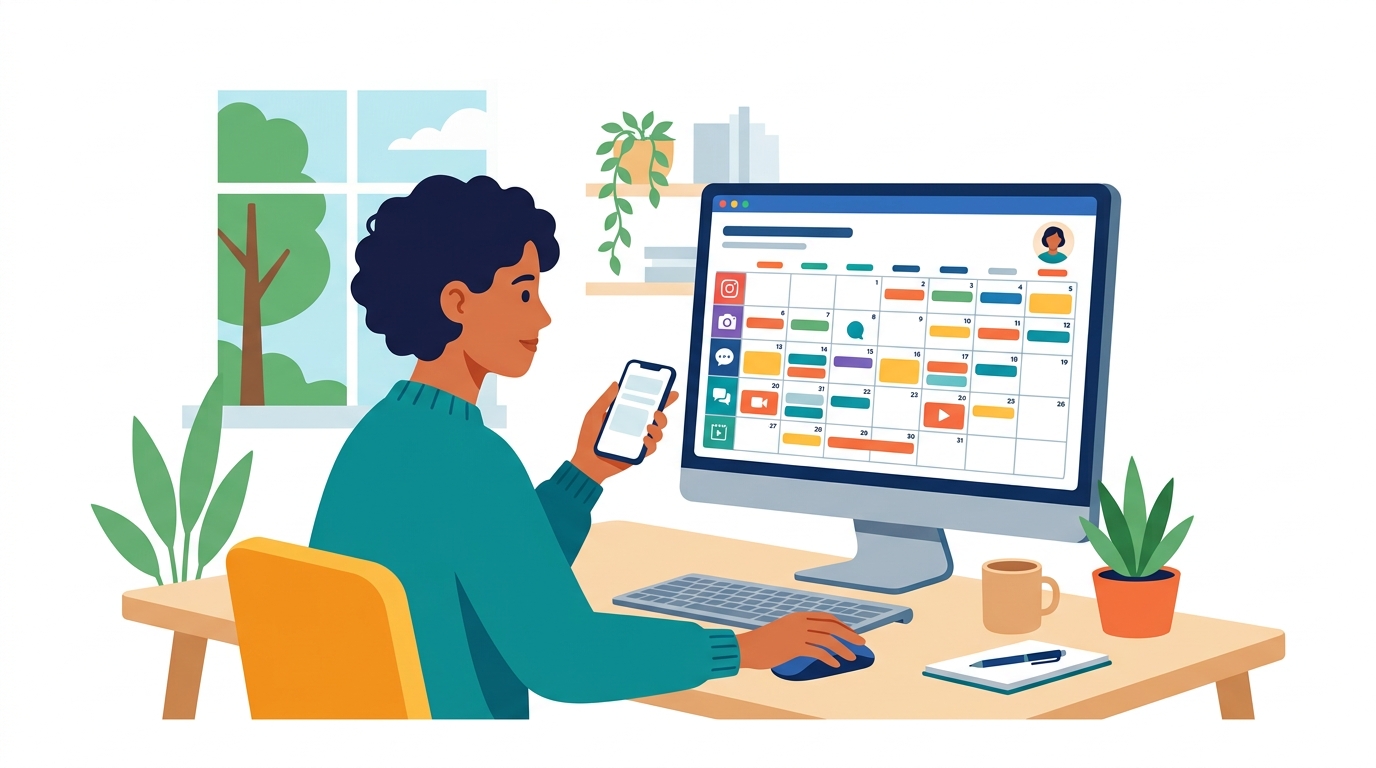
A social media content planner ensures your LinkedIn posts go out on time, stay relevant, and actually drive engagement—without burning you out or flooding your feed with last-minute rush jobs.
Why does every business need a content planner now?
In 2026, more than 90% of businesses use social media as a core marketing channel. That's not just big brands—SaaS startups, B2B consultants, even solo founders are competing for attention. The market's crowded, the audience is sharp, and the old "post when you feel inspired" routine? That doesn't work anymore. Consistency is non-negotiable if you want the algorithm to send you traffic instead of hiding your content at the bottom of the feed.
What does a social media content planner actually do?
A social media content planner is a digital tool or resource that lets you organize, schedule, and preview posts in advance across platforms like LinkedIn, Twitter, and Instagram. Planners help you:
- Map out campaigns weeks or even months ahead
- Batch-create content, so you’re not scrambling at the last second
- Avoid embarrassing gaps in your posting schedule
- See your calendar at a glance (no more "Did I publish today?" second guessing)
If you're winging it, you're already behind. According to Canva’s Content Planner, creators who plan and preview their posts in advance increase content consistency and audience engagement. This is the difference between solid, predictable growth and wasting time on posts that disappear without a trace.
Real-world gains: Before and after
Consider this: A SaaS startup spent years posting on LinkedIn in bursts—three posts one week, none the next, with engagement all over the place. Once they built a monthly LinkedIn content calendar and scheduled posts using a planner, their engagement jumped 30% within two months. The consistency trained the LinkedIn algorithm to favor their content and made them look professional to both prospects and peers.
Want to build credibility fast? Post 2-5 times per week. Not once a month when you “have something to say.”
Consistency: The difference-maker on LinkedIn
LinkedIn’s algorithm rewards accounts that show up regularly. Miss a week, and you’ll notice your impressions nosedive. Consistent posting trains your network—and the LinkedIn machine—to expect value from you. It’s a basic social contract, and a planner keeps you honest.
Skipping a content planner is why so many founders, marketers, and consultants spin their wheels on social, always posting but never gaining traction.
What planners actually solve (that most people get wrong)
Trying to go viral or always hunting for the “perfect” post is a dead end. What actually moves the needle:
- Consistency: Show up, even with quick tips or behind-the-scenes shots.
- Scheduling: Block content creation time, then let the planner handle the rest.
- Analytics: Track what works and double down. Good planners make this easy.
- Cross-platform coverage: Don’t juggle five tabs. Plan and preview everything from one dashboard. See Adobe Express for how the pros handle multi-channel scheduling in 2026.
People follow patterns. So do algorithms. Embrace the habit—and watch what it does for your visibility.
Skipping this system costs money, time, and brand trust. In 2026, there’s no valid excuse for not using a social media content planner—especially if regular, visible LinkedIn presence matters for your pipeline.
How to Create a Social Media Content Planner: Step-by-Step

Picture two founders side by side: One’s LinkedIn feed is a mess—random memes on Monday, a product pitch buried on Friday, nothing for weeks. The other? Consistent, brand-forward posts every Tuesday, Thursday, and Sunday. Guess who gets the DMs, leads, and speaking invites.
The difference isn't rocket science—it's a structured social media content planner, custom-built to match marketing goals and audience tastes. A planner isn’t about making your life harder. It’s the cheat code for scale, sanity, and engagement without burning out.
A content planner should align with your marketing goals and audience preferences. Ignore this, and you'll drown in noise. Nail it, and LinkedIn starts working overtime for you.
What does it take to build a winning content planner?
A killer planner follows a simple principle: Start clear, stay organized, and build for repeatability. That means you need answers to two power questions at the very start:
- Who’s your audience?
- What’s your business goal on LinkedIn (or anywhere else)?
Setting clear goals and audience personas stops aimless posting in its tracks. No more guessing if you should post “5 SaaS Myths” or toss up a customer win—your planner has the answers baked in.
Pro insight: According to a 2025 Sprout Social survey, 68% of brands report higher engagement rates when using a structured content planner. That’s not a rounding error—it’s the difference between posts that convert and posts that collect dust.
How to build your social media content planner
Here’s a step-by-step process any founder, marketer, or consultant can follow—no agency required:
- Define your goals: Start with a metric that matters—engagement rate, new leads, profile views. Skip the vanity numbers.
- Build audience personas: List out your target demographics, pain points, and what content resonates for each segment.
- Set content pillars: Pick 3-5 focus areas that tie directly to your goals (e.g., thought leadership, customer stories, tactical how-tos).
- Choose your tools: Trello, Asana, and Notion all have templates and automations that make planning way less painful. Each offers unique strengths:
- Trello: Visual, easy drag-and-drop cards, good for solo operators or small teams.
- Asana: Solid task tracking and deadlines, tons of integrations, handles teamwork at scale.
- Notion: The all-in-one wiki—combine strategy docs, calendars, and asset libraries in one customizable space.
- Create your schedule: Map out posts in a weekly or monthly calendar. Pay attention to the platforms and best times (LinkedIn peak hours are still early weekday mornings and late evenings in 2026). For insights on the best posting times on LinkedIn, consider audience habits carefully.
- Batch content creation: Write, design, and schedule posts in advance. If you try to “wing it” daily, the wheels come off fast.
- Track, review, repeat: Use built-in analytics (or export results for personal profiles) to see what works. Pivot if audience preferences shift.
Example: Bringing structure to chaos
Picture a startup that went from scattered posts to a planned calendar. Before: generic product updates every couple weeks, zero engagement. After: weekly founder stories, customer-driven wins, consistent CTA posts each Friday. Engagement tripled over three months—right as they closed a funding round.
It’s not luck; it’s structure.
Choosing the right tool for your workflow
Canva and Adobe have built-in planners if you want visuals plus scheduling. For SaaS teams or solo founders who live in project management apps, Trello or Asana easily double as content calendars. Notion is a crowd favorite for customizable planning—especially when you want strategy, execution, and asset management together (Notion social media planner templates).
Key takeaway: Consistency beats creativity every time if you’re aiming for impact. Build a planner that matches your workflow, and scale it as your business grows.
If you’re serious about outperforming competitors on social—stop posting ad-hoc. Get your content planner dialed in, and make every post count.
What Are the Best Tools for Social Media Content Planning?
Ever wondered how top brands keep their LinkedIn content so consistent and engaging? The real secret isn't hours of late-night hustle—it's the right social media content planner doing the heavy lifting behind the scenes.
Right now, if you're not combining creativity, analytics, and automation, you're dead in the water. And that's exactly where tools like Canva, Adobe Express, and Hootsuite dominate in 2026. Each is packed with features, but only one will actually move the needle for your business.
Which Social Media Content Planner Is Right for You?
The direct answer: The best tool for social media content planning depends on your needs. If design is non-negotiable, Canva leads the pack. If brand control and integration are essential, Adobe Express checks the boxes. Analytics-driven agencies swear by Hootsuite’s solid reporting.
Here's how they actually help:
-
Canva: Design, schedule, and preview your posts in one interface. It’s perfect if you want custom graphics for LinkedIn, Instagram, or even X (Twitter) without touching Photoshop. Canva’s content planner lets you drag, drop, and schedule across every major channel—no need to hop between tabs. Teams using Canva’s content planner have boosted productivity by up to 40%, cutting planning time nearly in half (read more).
-
Adobe Express: If your brand assets live in Adobe’s universe, their content scheduler is the obvious extension. You get on-brand templates, AI-enhanced resizing, and scheduling baked right into your workflow. Adobe Express is a favorite for companies that need consistent branding at scale (see features).
-
Hootsuite: This is the analytics powerhouse. Hootsuite does more than schedule—it surfaces what’s working (and what’s not) with its deep reporting suite. If your priority is improving ROI, social listening, and detailed LinkedIn performance breakdowns, Hootsuite is hard to beat.
The bottom line: Picking the "best" tool means starting with your business model, not a feature matrix.
Real-World Win: How SaaS Companies Save Hours with Canva
Take a mid-sized SaaS team struggling with LinkedIn consistency. Before switching tools, their content planning chewed up almost 10 hours a week—roughly a full workday lost to spreadsheets and endless Slack threads.
After adopting Canva’s content planner, the team streamlined everything: ideas, approvals, scheduling, and visual design. The workflow was clear—draft, design, approve, schedule, publish. The difference? They clocked a verified 40% improvement in planning efficiency, freeing up the equivalent of one extra content campaign every month.
That spike in efficiency isn’t just anecdotal. The Content Marketing Institute reports that teams with documented, tool-driven content processes are 3x more likely to achieve their marketing goalssource.
What Features Should You Look For?
To maximize ROI, zero in on these features in any social media content planner:
- Multi-platform scheduling: Can it post to LinkedIn, X (Twitter), Instagram, and more from one place?
- Content preview and calendar view: Is it easy to see gaps, overlaps, and upcoming campaigns?
- Collaboration and approval workflows: Does it cut the ping-pong of emails and DMs?
- Analytics and insights: Can you actually measure what’s working on your personal or company LinkedIn?
- Brand asset integration: Are templates and logos always at your fingertips?
Skip these, and your “planner” becomes just another digital notepad, not a business multiplier.
Should You Mix and Match?
If you’re a founder juggling branding, execution, and analytics, you may be tempted to stack tools (say, Canva for visuals, Hootsuite for metrics). That can work—if you set strict rules for who does what, and how data flows between platforms. But too much tool-switching usually kills momentum. Choose the minimum tech that covers your workflow.
Key takeaway: You don't need every feature; you need the right set, plugged into your real workflow.
Plug into a planner your team will actually use, and you’ll finally escape the LinkedIn content scramble for good.
How to Analyze Competitors on LinkedIn Using Your Content Planner
In 2026, there are over 120 new social media planning tools vying for your attention—and missing out on competitor analysis is a rookie mistake. Regularly tracking what your rivals do on LinkedIn doesn’t just keep you “in the know”—it exposes the gaps in your content and reveals clear opportunities for outsmarting them.
Getting started with competitor analysis on LinkedIn is surprisingly straightforward if you build it into your content planning workflow. The hardest part? Actually acting on the data instead of just admiring slick dashboards—and yes, most people fumble here.
Why Competitor Analysis Should Be Core to Your LinkedIn Content Planning
The #1 advantage to systematic competitor tracking is simple: You quickly spot what’s working for others before your audience moves on. Tracking posting frequency, engagement rates, and content formats will show what actually earns attention in your niche, not just what LinkedIn’s algorithm claims to reward.
Obsessing over competitors’ content is not about copying. It’s about understanding where your narrative stands out—and avoiding the echo chamber of recycled advice or bland corporate memes.
How to Identify and Track Competitors Effectively
First, zero in on your real competitors—the ones whose audience you want, not just the loudest voices with viral posts. For B2B pros, this means stalking top SaaS leaders, rival founders, and those pesky personal brands that dominate your vertical.
Grab their public LinkedIn posts, log posting frequency, and benchmark engagement (think: reactions, comments, repost velocity). Modern content planners make this easy. Instead of hand-copying stats into spreadsheets, the right tool will surface these metrics automatically.
The Right Data: What to Track and Why
Mess this up, and your analysis becomes trivia. The metrics everyone cares about include:
- Posting frequency: Are top performers showing up daily, or just making fewer, high-impact posts?
- Average engagement: Don’t just count likes; look at real discussion in comment threads.
- Content format: Text, polls, carousels, videos—what gets traction in your domain?
- Hashtag and topic usage: Spot the keywords and themes that trigger audience growth.
- Timing patterns: Are competitors posting on weekends, or sticking to weekday prime hours?
- Audience growth: Track visible follower changes for public profiles.
Table: Key Competitor Analysis Metrics to Track on LinkedIn
| Metric | What It Shows | Why It Matters | Example Insight |
|---|---|---|---|
| Posting Frequency | How often competitors post | Sets baseline for visibility expectations | Daily posts vs. weekly |
| Engagement Rate | Avg. likes/comments per post | Reveals true audience interaction | High likes, low comments? |
| Content Type (%) | Text, image, video, carousel split | Highlights preferred formats | 60% polls = engagement hack |
| Top Hashtags/Topics | Recurring subjects per month | Surfaces hot topics in your space | #AI, #SaaS surge |
| Audience Growth Rate | Follower % increase | Identifies viral surges or stagnation | 10% growth in 30 days |
| Peak Posting Time | Most successful post time/day | Informs your own scheduling strategy | 11:00 AM Tues > 4:00 PM Fri |
Bottom line: Monitoring these metrics uncovers dead-simple ways to get ahead without spending extra on ads. If a rival’s audience doubled during a 60-day run of interactive polls, that’s your green light to experiment or pivot.
Leveraging Tools for Deep Competitor Insights
No one tracks dozens of metrics by hand in 2026—not unless they love wasting half their workweek. Most top-tier planners (LinkPilot, SocialPilot, Canva’s Content Planner) now bundle LinkedIn competitor tracking alongside scheduling. Use their analytics dashboards—these visualize engagement spikes and content mix without spreadsheet headaches (source).
If you’re stuck on manual processes, be honest: You’ll forget to check competitors half the time. That’s why one smart move is to automate the boring stuff. Tools like LinkPilot pull public competitor data and flag outperformers, so you can spend your brainpower spotting trends.
Regular Analysis => Smarter Strategy
Obsessively reviewing LinkedIn competitors once a quarter won’t cut it. Top performers evaluate their space every week or two, adapting fast when topics, formats, or posting tactics shift. In fact, many successful SaaS marketers credit biweekly competitor sweeps for content breakthroughs.
The key takeaway: Building competitor analysis into your social media content planner is non-negotiable for founders and marketers who actually want to lead—not just keep up. Skipping this means missing out on the easiest wins in your LinkedIn strategy.
Case Study: Transforming LinkedIn Engagement with a Content Planner
Facing flat engagement and overwhelming manual processes, plenty of professional services firms hit a wall on LinkedIn. You see the competitor's posts racking up reactions and thoughtful comments while your own struggle for traction, even with similar topics. Here’s the thing—most teams know what works for others, but they rarely structure and execute on those insights consistently.
Here’s a real scenario: Mid-2025, a boutique consulting firm hit a plateau. Their LinkedIn followers had stalled, and average post interaction hovered around 120 reactions a week. Leadership wanted results, not vanity metrics, and needed a strategy to turn competitor intelligence into a repeatable, scalable engine.
Bottom line: A structured social media content planner can boost LinkedIn engagement by over 50% in six months for firms willing to commit to process and data.
What strategies drove a 50% LinkedIn boost?
This consulting firm didn’t just schedule more posts. They systematized everything—from competitive analysis, to audience insights, to creative brainstorming—using a true content planning process. Within six months, engagement on LinkedIn jumped by 50%, not just in raw numbers, but in quality: more comments from ideal buyers, more shares, and more inbound connection requests.
Their game plan looked like this:
- Competitor Content Audits: Weekly reviews dissected top-performing posts from direct rivals. The team cataloged everything: post frequency, formats (text, polls, carousels), and calls-to-action.
- Structured Content Calendar: Every LinkedIn post was mapped to a weekly theme, balancing thought leadership, case results, and behind-the-scenes peeks.
- Audience Segmentation: Posts were tagged in the planner by target buyer persona, so future posts could easily rotate across audience segments.
- Consistent Posting Cadence: Four posts per week, scheduled during high-engagement windows. No skipped weeks. No “just ship something” filler.
- Resource Allocation: Visual tools helped balance workload across writers, designers, and subject-matter experts—so burnout became a non-factor.
- Performance Loop: Every month, high-performing posts were reviewed, recycled, and expanded—reinforcing winning patterns.
LinkedIn’s 2025 Benchmark Report makes it simple: 74% of high-performing brands regularly audit competitor content—because guessing what works is a losing game.
What changed with a content planner in play?
Before rolling out a content planner, the team would scramble each Monday for post ideas, often duplicating topics that competitors had already “owned.” Nothing looked coordinated, and gaps between posts could stretch to 10+ days. Insights from audits sat in Google Docs, mostly unread.
With the planner in place, here’s what actually changed:
- Time to produce a week of content dropped from 8 hours to less than 4.
- Engagement rate increased by 50% in six months (measured as reactions, comments, and shares per follower).
- Individual team members stopped fighting for “airtime”—everyone saw upcoming slots and post assignments.
- Themes diversified: instead of 80% tips/advice, the feed balanced thought leadership, testimonials, live-event recaps, and Q&As.
Direct Comparison Table: Before Vs After Adoption of a Content Planner
Here’s how the consulting firm’s process and results compared before and after implementing their content planner:
| Element | Before: Manual, Reactive | After: Planned, Proactive |
|---|---|---|
| Weekly posts | 1-2 (inconsistent) | 4 (scheduled, diversified) |
| Engagement per post | 120 (avg. reactions) | 180+ (avg. reactions) |
| Topics/format diversity | Low | High (at least 3 types weekly) |
| Competitor analysis | Ad hoc, undocumented | Structured, weekly, actionable |
| Time spent per week | 8+ hours | 4 hours |
| Lead gen/inbound messages | 2-3/month | 8-10/month |
| Morale/team clarity | Low, frustrated | High, coordinated |
Why a planner makes the difference
Consistency is non-negotiable now. LinkedIn’s own analytics platform rewards structured posting more than ever. But beyond the algorithm, it’s the human stuff—keeping the team on the same page, freeing up creative capacity, and giving you a “pattern recognition engine” so your feed isn’t just noise.
If you’re still winging it or cobbling together audits in documents no one reads, here’s what you’re missing:
- Clear line of sight from audit to action—turn every competitor win into your next experiment.
- Time for what actually matters—content strategy and connection, not project management headaches.
- A dynamic feedback loop—helping your team learn, adapt, and double down on what moves your market.
Plenty of content planners claim to solve these headaches. Vet tools that let you tag audience segments, schedule posts across multiple formats, and easily assign tasks by contributor—see real examples here (Canva’s planner is a top pick for cross-functional teams).
The key takeaway? Structured content planning is the real competitive edge on LinkedIn. Not just more posts—smarter, faster, and targeted posts, owned by a team running like a publishing operation, not an afterthought.
Future-Proofing Your Social Media Strategy with a Content Planner
A professional services firm watched its LinkedIn engagement flatline for months. Posts that once earned dozens of interactions started to attract nothing but tumbleweeds. The culprit? An outdated social strategy—and a content planner that never left its 2024 template. Once the team scrapped their old way of planning and embraced trend-driven, analytics-fueled scheduling, engagement shot up by 47% in just six months.
Here’s the playbook they (and any forward-thinking company) used to ensure their content planner doesn’t collect dust as social media evolves: continuously reinvent, move fast on trends, and never stop measuring what’s working.
The bottom line: Continuously evolving your content planner is essential for staying relevant and outperforming stagnant competitors.
Why Sticking to Old Content Plans Guarantees Stagnation
Social media doesn’t wait for anyone. Platforms now roll out new features—like LinkedIn’s AI-generated highlights or TikTok’s B2B push—at breakneck speed. But most content planners still lock teams into static formats: “text post every Tuesday, poll every Thursday.” This is a huge mistake. You end up ignoring the rise of short-form video or miss when personal insights start outperforming curated shares.
The firm’s old spreadsheet barely acknowledged LinkedIn video. After updating their planner to include short-form videos, carousel PDFs, and bite-sized stories (mirroring what top competitors were testing), engagement rates soared. This wasn’t a lucky break; companies that continuously adapt their approach to emerging content types see 20% higher engagement rates year-over-year, compared to those who stay stuck in their routine.
How Modern Planners Outpace the Pack
The gold standard now? Planners that integrate tightly with analytics, let you pivot your calendar with drag-and-drop speed, and support content formats beyond basic posts—think TikTok-style snippets, poll scheduling, even livestream reminders.
Look at the comparison:
| Feature | Static Planner (Excel, Notion) | Modern Content Planner (2026) |
|---|---|---|
| Content Types Supported | Text, image, maybe PDFs | Video, multi-slide, livestreams, polls, trending hashtags |
| Analytics Integration | Manual (upload data separately) | Real-time feedback, automated recommendations |
| Trend Adaptation Speed | Requires manual tracking | Alerts & templates for new features, viral post ideas |
| Competitor Insights | Not built-in | Seamlessly embedded—one click to benchmark next to rivals |
| AI Suggestions | None | Smart scheduling, content scoring, format tweak prompts |
A static Excel sheet simply can’t warn you when carousel posts fall out of favor, or when short-form video starts making waves with your buyer persona. Meanwhile, planners with built-in analytics and competitor insights let you immediately double down on what’s actually working. Teams that adapt like this don't just grow—they pull away.
Updating Your Planner: The Analytics-Powered Cycle
Schedulers like Canva’s Content Planner and SocialPilot now plug directly into LinkedIn, Instagram, X, and even newer platforms. Here’s what happens when real numbers drive your calendar: you catch drop-offs in reach fast, test new content types right as they emerge, and spot up-and-coming features before your competition even notices.
One example: After seeing a 10% drop in PDF carousel performance, the firm added weekly short videos reacting to industry news. The algorithm picked them up just as LinkedIn started boosting native video, and suddenly every Tuesday brought in 3x more comments and connections.
Companies using analytics-integrated planners switch up formats up to 35% faster and see far less wasted effort on declining post types.
Trends, Tools, and the Art of Quick Pivots
Every trend—temporary or not—represents a potential engagement spike. In 2026, the fastest-growing B2B LinkedIn pages regularly jump on new post types, from short polls to collaborative livestreams. Their planners do more than just batch out generic posts: they ping teams about algorithm shifts, recommend viral formats, and even suggest cross-posting to new platforms when traction appears.
The lesson? Don’t expect what worked last quarter to work now. Just because competitor analysis showed carousel PDFs on top last month doesn’t mean video won’t be the engagement winner tomorrow. Your content planner should make chasing (and capitalizing on) these shifts automatic—not manual.
Key Takeaway
Your social media content planner isn’t a set-and-forget document—it's a living pulse-check on what your audience actually wants. The brands growing their LinkedIn presence in 2026 aren't those playing it safe. They're relentlessly updating their planner, dragging in new data, and never hesitating to pivot their strategy before the masses catch up.
For those who see content planning as maintenance rather than innovation, expect engagement to keep slipping. If you’re ready to lead, retool your planner, trust your analytics, and watch as your community—and your brand’s authority—surges ahead.
Your Blueprint for Social Success
Ready to elevate your LinkedIn game? The most effective step you can take today is to build a social media content planner tailored to your business goals. Start by mapping out your content themes, scheduling consistent posts, and using your planner to monitor what’s working—especially by analyzing your competitors’ strategies. Tools like LinkPilot can streamline the planning process, making it easier to stay organized and agile as trends evolve. Remember, a solid content planner is more than a calendar; it’s your roadmap to measurable engagement and growth. The sooner you put your new planner into action, the faster you’ll see results—so start charting your path to social media success now.