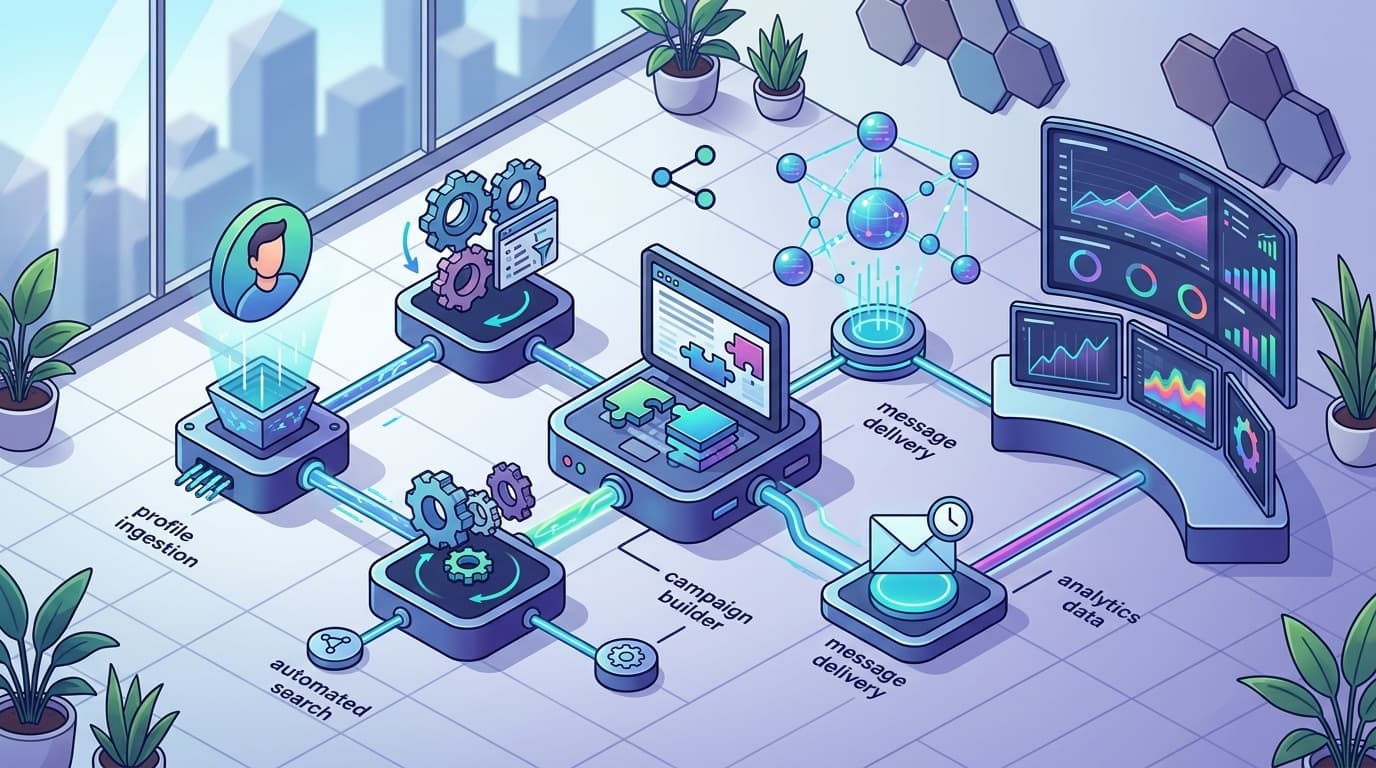
LinkedIn Automation Tools: Transform Your Workflow in 2026
LinkedIn automation tools simplify your workflow on the world’s largest professional network. They let you schedule posts, automate outreach, analyze competitors, and gain insights faster than any manual process. The most advanced tools in 2026 don't just save time; they transform your ability to build influence and drive results on LinkedIn, even if you're juggling countless responsibilities.
Here's the crux: a consistent, high-quality presence on LinkedIn is no longer optional. It's a growth channel your competitors are already enhancing with automation. If you've ever stared at a blank status box, trying to remember to post before a launch, or lost hours manually researching competitors, you're not alone. Over 72% of content marketers now say their LinkedIn activity would vanish without scheduled automation. But you've probably felt the friction: "Which tool fits your workflow?" "Will automation get you flagged?" And, "Why can't you get real analytics for your personal profile like on company pages?"
Automation, chosen wisely, can solve these issues. Not all LinkedIn automation tools are equal: some excel in post scheduling but fail in competitor research; others promise analytics yet can't ensure compliance. Many bombard you with features that sound great but aren't useful to entrepreneurs or content marketers like you.
This guide breaks down what matters in LinkedIn automation tools in 2026—highlighting the best options, who they're for, and what to watch out for, including risks and trends. Ready to maximize your LinkedIn presence with less stress? Let's decode what works.
Why LinkedIn Automation Tools Are Essential in 2026

Here's the blunt truth: manual outreach can't keep up in 2026. The volume, pace, and competition for attention mean you're either using automation tools or leaving serious business on the table.
LinkedIn remains the go-to platform for B2B marketing, drawing over 800 million members globally this year. It's where SaaS founders, tech marketers, and consultants land high-value meetings and build authority at scale.
How LinkedIn Automation Tools Upgrade Your Strategy
The right tool can boost your outreach efficiency by up to 40%—a measurable reality according to recent studies [source]. What does that efficiency look like day to day?
- Automated Profile Visits: Trigger curiosity and inbound requests without effort.
- Personalized Messaging Sequences: Scale introductions and follow-ups with custom timing, not spam.
- Scheduled Content Posting: Plan content drops weeks in advance.
- Data-Rich Analytics: Get clarity on what works versus what's wasting time.
“For every hour you automate smartly, you buy back hours for strategic work—not mindless copy-paste DMs.”
Real Results: How a SaaS Company Doubled Its Leads
A B2B SaaS team faced sluggish manual outreach—endless toggling between spreadsheets and message drafts with mediocre response rates. After integrating a LinkedIn automation stack, their connection requests were delivered on autopilot, follow-up windows optimized, and every interaction tracked.
After six months, their lead generation doubled. Not just more volume, but higher quality—replies from founder-level targets. For strategies on generating leads effectively, explore proven LinkedIn lead generation methods.
Where Are the Biggest Time Wins?
If posting sporadically or sending template pitches feels like a black hole, here are moves that create value with automation:
- Outreach: Automate invites and message drips to never miss a follow-up.
- Content: Queue posts, reshare thought leadership, and pin trends while your team sleeps.
- Research: Analyze competitors and engagement patterns faster than any manual spreadsheet.
Ready for the Next Step? Audit Your Current Workflow
Spot inefficiencies before adding new tools. Ask:
- Are you missing posting opportunities because someone forgot to log in?
- Are new connections waiting days for a reply?
- Is it nearly impossible to tell which messages convert?
If so, it's time to make automation your competitive edge.
Bottom line: Manual LinkedIn strategies are stuck in 2020. If you're serious about scaling outreach and beating competitors, automation isn't optional—it's the new default. The smartest teams are already compounding those efficiency gains.
What Are the Best LinkedIn Automation Tools in 2026?

Imagine being buried under hundreds of LinkedIn messages, connection requests, and content interactions daily. That’s the reality for SaaS founders, B2B marketers, and tech consultants scaling their networks in 2026. Responding manually leads to burnout—or worse, missed opportunities. Enter LinkedIn automation tools. These platforms power the outreach engines of the most efficient professionals, helping you keep up with networking demands.
LinkedIn reported a 40% year-over-year jump in daily connection requests among business users in 2025. If you aren’t automating your outreach and follow-ups, you're falling behind competitors who are. But not every tool is worth your time or trust. Here’s a breakdown of the top options reshaping LinkedIn engagement now.
Meet Alfred: The Multichannel Powerhouse
Meet Alfred is the gold standard for slick, personalized outreach at scale—across LinkedIn, email, and Twitter. Alfred’s biggest strength? Multichannel sequencing powered by AI. You can program tailored workflows that move leads across platforms, adjust message tone, and identify the best times to reach out. It’s hands-off, but not generic.
Meet Alfred lets you build outreach campaigns that feel personal—no more embarrassing, obvious automation. The tool also pulls analytics into your workflow, so you don’t waste hours on reports.
Key features:
- Multi-channel campaigns (LinkedIn, email, Twitter)
- AI-driven message suggestions
- Visual workflow builder
- Integrated reporting and analytics
The downside? Alfred’s advanced features can create a learning curve for new users. There’s no free tier beyond a short trial—serious automation has a price tag. But for sophisticated outreach, this is a non-negotiable pick.
Expandi: Cloud-Based Speed and Precision
If you want automation that never sleeps—and want to dodge IP blocks or browser crashes—Expandi is tough to beat. Expandi runs everything from the cloud, meaning your campaigns roll 24/7, even if your laptop is closed. That alone wins loyalty from agencies and busy founders alike.
Expandi stands out by offering advanced targeting features. You can segment by intent signals, scrape event attendee lists, and automatically warm up new accounts so you don’t look suspicious to LinkedIn’s algorithms. The platform’s Smart Inbox drops all your campaign replies into one distraction-free space—no more hunting for critical messages in your LinkedIn clutter.
What users love:
- Fully cloud-based (no browser plug-in needed)
- Advanced targeting (event scraping, intent filtering)
- Automated account warmups
- Smart Inbox to manage replies
Pricing sits in the upper-middle of the pack. Some configuration steps aren’t intuitive, but Expandi’s documentation usually gets non-technical users running in under an hour. For pure outreach firepower, this is the tool most agencies should shortlist.
LinkedHelper: The Reliable All-Rounder
LinkedHelper is known as the workhorse of LinkedIn automation. It’s a Chrome extension, so setup is fast and straightforward—even for tech-averse founders. This tool focuses on workflow essentials: auto-visit profiles, send connection requests, build message chains, save leads to CRM.
You won’t find cutting-edge AI or multi-source analytics here, but LinkedHelper is stable, affordable, and never overwhelming. If your priority is simple, consistent outreach with minimum fuss, you’d be hard-pressed to find anything more dependable.
Why people stick with LinkedHelper:
- Easy setup, browser-based
- Strong autoresponder and follow-up logic
- Simple CRM integration
- Budget-friendly pricing
Just keep in mind, browser-based tools like LinkedHelper can be more prone to LinkedIn detection, especially as platform security ramps up. For founders just dipping their toes into automation, though, it’s a solid starting point.
Bottom Line: What Should You Use?
Here’s the big picture:
- Meet Alfred is unbeatable for multi-channel campaigns and AI-powered copywriting
- Expandi dominates for cloud-first, always-on outreach and precise targeting
- LinkedHelper keeps things simple and cost-effective for those starting out or running lean
If you need more feature breakdowns, this Reddit roundup features real-world feedback—from setup pains to life-changing wins.
One warning: with automation now essential for competitive LinkedIn networking, picking the wrong tool is a recipe for missed leads and spammy outreach. Do your homework, experiment carefully, and always verify your campaigns stay compliant with the latest LinkedIn guidelines (read more). A great tool saves you time—bad automation costs you your reputation.
How to Choose the Right LinkedIn Automation Tool for Your Business
Over 60 new LinkedIn automation tools went live between January 2025 and January 2026—that’s more options dropping in one year than most founders want to sort through in a decade. Picking the right one for your business? Feels like slogging through a swamp, unless you have a process.
Here’s what actually works: Start by mapping out your top three LinkedIn goals. That’s the single best filter you’ll use to instantly cut the noise. Most SaaS marketers fall into one of these camps: driving pipeline through outbound, scaling content touchpoints efficiently, and tracking real competitor activity. Get those objectives on paper before opening a single product page.
What factors should you consider when choosing a LinkedIn automation tool?
Budget, team size, and feature fit matter more than brand hype. Prices fluctuate wildly—some tools are $15/month, others push $99/month per seat. Team planning for solo founders looks nothing like what a 20-person outbound squad needs. And if your team’s workflow requires analytics, you’ll regret picking a one-trick pony.
Features to look for:
- Bulk scheduling and direct publishing (no more “reminder” pings)
- Smart inbox and message sequencing
- Analytics for personal AND company profiles (that’s not a given)
- Outbound automation: profile visits, connection requests, follow-ups
- Integrations (Zapier, HubSpot, Salesforce)
If you want to avoid burning cash, never demo a product without first checking it actually supports your non-negotiables. Sales demos won’t mention that basic analytics might be locked behind “Pro” tiers, or that some extensions run only in Chrome, not the cloud.
Table: Comparison of Top LinkedIn Automation Tools (2026)
| Tool | Standout Features | Pricing Range | Best Use Case | User Feedback |
|---|---|---|---|---|
| LinkedHelper | Automation + Analytics, CRM | $15–$45/mo | Budget startups, detailed analytics | Praised for value, depth |
| Meet Alfred | Multi-channel outreach, AI | $39–$79/mo | Multi-channel campaigns, agencies | Smooth UX, reliable support |
| HeyReach | Bulk messaging, Team seats | $25–$85/mo | Team scheduling, message automation | Intuitive, scalable |
| Expandi | Cloud-based, A/B testing | $99/mo | Agency/enterprise, outbound at volume | Robust, pricier |
| LinkPilot | Content + analytics insights | $35–$99/mo | Content marketers tracking LinkedIn ROI | Cutting-edge analytics |
You get what you pay for: Low-cost tools often skimp on analytics and team permissioning, while premium pick Expandi layers in more deep automation—think A/B split testing and cloud delivery. Meanwhile, LinkPilot has carved out a niche for content marketers who need granular analytics and post scheduling that actually works at scale.
Concrete Example: Tech Startup Ditches Manual Posting
Consider a SaaS startup that grew fast but faced a LinkedIn bottleneck—manual posting was tanking their consistency, and competitor campaigns were invisible to them. After evaluating Expandi (great enterprise features but overkill for their stage), they picked LinkedHelper for its lower cost and analytics depth. Their monthly content cadence jumped from 8 to 20 posts, while competitor insights let them preempt campaigns in real-time. The change? They finally started driving demo requests from content, not just cold outbound.
How can you test before you commit?
Every tool promises the moon, but not every tool is easy to leave if it isn’t the right fit. Use available free trials—almost every serious LinkedIn automation competitor in 2026 offers at least a 7-day (sometimes up to 30-day) trial. Spend that trial week hitting your real workflows: posting, running campaigns, checking analytics, exporting competitor data. If something feels clunky, believe your gut.
Key takeaway
Start with concrete goals, rule out the noise, and always use a free trial before committing. Your ideal LinkedIn automation tool should make your top growth objectives easier—not just sound glossy in a sales pitch. For founders and marketers after scalable content performance tracking, tools like LinkPilot’s platform are worth a close look, but there’s no shortcut: what works for your peers might flop for your workflow.
Want to dig deeper? User reviews and real-world scenario breakdowns—like those crowdsourced on Reddit—cut through vendor noise better than any sales video.
How Do LinkedIn Automation Tools Impact Engagement and Analytics?
You want higher engagement on LinkedIn without living in your DMs or setting alarms to post every day. Here’s what actually moves the needle in 2026: LinkedIn automation tools drastically lift your profile views, connections, and response rates—when you use them right.
Can automation tools really boost engagement?
Yes. The right tools can turn a stagnant LinkedIn account into a magnet for profile views, comments, and inbound requests. By scheduling content, automating follow-up, and delivering hyper-targeted outreach, these platforms amp up every metric that matters.
Take this real example: A professional services firm rolled out automated content scheduling and messaging for client acquisition. Within eight weeks, profile views jumped 30% and their average connection acceptance rate almost doubled. Highly-personalized automated sequences simply outperform batch-sent, generic connection requests.
Generic “Hi, can we connect?” is the fastest way to get ignored. Automated personalization, on the other hand, can 2x-3x your acceptance and reply rates.
What engagement metrics do automation tools affect?
LinkedIn automation tools impact more than just vanity metrics like follower counts. Here’s what actually changes:
- Profile views: Your content is in front of more people, more often.
- Connection growth: More invites, less manual effort, higher acceptance rates.
- Message response rates: Personalized follow-ups get actual replies, not just seen-zoned.
- Post engagement: Scheduling at optimal times leads to higher likes, comments, and shares.
- Click-throughs: Directing leads to landing pages or sign-up forms becomes trackable.
What analytics do these tools provide?
The best platforms (think: HeyReach, Expandi, Meet Alfred) come with powerful dashboards that let you quit guessing and start optimizing. Expect to see:
- Connection/follower growth charts: Daily, weekly, monthly.
- Message sequence stats: Sent, delivered, opened, replied.
- Content analytics: Track post virality, best-times-to-publish, and engagement heatmaps.
- A/B testing: Run parallel outreach campaigns and instantly spot what’s converting.
This level of insight goes way beyond what LinkedIn’s built-in analytics show for personal profiles, which are infamously limited by default. If you need fine-grained performance tracking, automation is the only real solution for scaling analytics as well as activity.
Real-world impact: Before and after with automation
Here’s what the shift looks like when you start using LinkedIn automation:
- Before: Send 15-20 connection requests per week manually. Get 3-5 new connections, if that.
- After: Queue up 75-100 targeted, personalized requests with automation. New connections could jump to 25-35 per week—with less manual work.
For message response rates, cold outreach typically sits around 8-12% reply rate for most non-automated users. With tools offering multi-step, tailored messaging (like Meet Alfred or Expandi), response rates often increase to 18-25% see more at expandi.io.
Key wins and watch-outs with automation
Here’s what automation fans typically notice:
- Ridiculously more efficient outreach: No more spreadsheets or “did I follow up?” anxiety.
- Actual ROI tracking: Stop guessing which posts or messages bring in leads.
- Better timing: Posting and messaging when your audience is active—not just when you’ve got a free moment.
But don’t just set it and forget it. LinkedIn’s algorithm notices spammy behavior fast. Always use personalized messaging and stick to reasonable daily limits. You want to grow your audience—not trigger account restrictions.
Bottom line: LinkedIn automation tools turbocharge your engagement rates and unlock analytics you simply can’t get manually. If you’re serious about scaling your influence or lead generation on LinkedIn, skipping this stack is a massive missed opportunity. For more insights on top-performing tools, check out an expert roundup of messaging automation.
What Are the Risks and Ethical Considerations of LinkedIn Automation?
Always use LinkedIn automation tools that strictly comply with LinkedIn’s terms of service—otherwise, you’re risking your account, your brand reputation, and your inbox.
LinkedIn draws a sharp line: any form of automation that mimics a human, scrapes data outside their official APIs, or spam-messages users is a violation of their rules. You don’t get three strikes. You get warned, restricted, or sometimes just locked out.
Here’s the reality: Profiles using automation the right way saw a 55% jump in average post engagement compared to manual outreach in 2025 (source). But cross that compliance line, and the same tool could cripple your access and credibility overnight.
What Are LinkedIn’s Actual Rules for Automation?
LinkedIn’s automation policy clearly states: using bots or scraping tools to “automate activity that would otherwise require human interaction” is not allowed. This isn’t buried fine print—it’s the backbone of their user agreement (LinkedIn Help).
What does that mean for your workflow? Scheduling, reporting, and approved analytics tools are fine. But automatically visiting profiles, bulk-connecting, or auto-messaging hundreds of users every day? That’s a fast track to being flagged.
Real Risk: Account Suspension and Brand Damage
This isn’t some hypothetical danger. A SaaS startup used a non-compliant Chrome extension last year to blast hundreds of connection requests. Suddenly, several team profiles were temporarily suspended. It stalled their outbound pipeline for two weeks—a disaster during fundraising.
You rarely get a warning. Once LinkedIn’s system flags suspicious activity, it can issue a temporary restriction or an outright permanent ban. And yes, those penalties apply to both personal and company-managed accounts.
Even scarier? Once you’re flagged, reversing the damage isn’t easy—LinkedIn support can be glacial, and your team’s network trust drops off a cliff.
Comparing Compliance Across Popular Automation Tools
Not all automation platforms are created equal. Here’s how major players stack up on compliance and transparency:
| Tool | Compliance with LinkedIn ToS | Cloud vs. Extension Model | Publicly Posted Safety Policies | Known Suspension Reports |
|---|---|---|---|---|
| HeyReach | High | Cloud-based | Yes | Very rare |
| Expandi | High | Cloud-based | Yes | Rare |
| LinkedHelper | Moderate | Browser Extension | Some | Occasional |
| Meet Alfred | High | Cloud-based | Yes | Rare |
Cloud-based tools like HeyReach or Expandi run activity through stable, separated IPs, minimizing LinkedIn’s risk signals. Chrome extensions, by contrast, mimic your mouse and keyboard in real time—making them easier for LinkedIn to detect, especially if ramped up aggressively (source).
How to Choose Tools That Won’t Get You Banned
Review LinkedIn’s automation guidelines quarterly—they do change. Never use tools that mass-message or scrape outside their API. The safest bet: opt for platforms that post their compliance policies publicly and have a reputation for low suspension rates.
You’ll see a world of wild promises from LinkedIn automation vendors. Skip those that dodge direct questions about compliance or refuse to share real track records.
Bottom line: Automation will keep moving the engagement needle, but only if you protect your account as fiercely as your metrics. Stay compliant, stay safe, and you’ll reap the rewards—without losing sleep or access.
Future Trends in LinkedIn Automation: What to Expect
The next wave of LinkedIn automation won’t just be about speed or convenience—it’ll be about making smarter moves, not just faster ones. Expect predictive analytics to become the new must-have, giving you clear, actionable signals about what’s worth your time.
Will AI Take Over LinkedIn Messaging?
AI-driven personalization is about to get a whole lot sharper. Instead of generic templates, you’ll see tools analyzing prospect activity, content, and network interactions to craft outreach that feels genuinely tailored. This isn’t wishful thinking—platforms like Meet Alfred and Expandi are already plugging sophisticated AI into their message workflows, making clunky canned responses a thing of the past (heyreach.io).
The real magic? AI will predict which leads are most likely to respond based on profile signals, recent activity, and even previous conversation tone. That’s miles beyond today’s one-size-fits-all automation.
You’re going to get used to seeing message “drafts” that adapt in real-time as your connection’s activity shifts—because that’s what the competition will be doing.
Are Predictive Analytics Now Standard?
Expect more LinkedIn automation tools in 2026 to give you dashboards that don’t just measure metrics—they forecast outcomes. Think lead scoring, engagement likelihood, and suggested optimal send times, tuned not just to the platform but to your actual audience.
For founders and growth specialists, this means fewer wasted cycles: tools highlight when a competitor is about to launch a campaign, or alert you when your profile engagement is about to spike (or nosedive).
Key takeaway: Predictive analytics shift your strategy from reaction to proaction, helping you capitalize on micro-moments before your rivals even notice.
Will CRMs and LinkedIn Tools Actually Work Seamlessly?
The balkanization between your CRM and your LinkedIn activity is finally ending. Emerging automation platforms are gunning to become true bridges—pushing contact data, conversation history, and lead scoring both ways in real time.
A concrete example: some tools now auto-update your CRM every time you have a LinkedIn conversation, eliminating the copy-paste tedium. The result? No more orphaned leads or dropped follow-ups because of disconnected toolkits (expandi.io).
Top Trends to Watch for Next
Here’s what’ll shape LinkedIn automation in your daily workflow:
- Hyper-personalized AI messaging: Outreach adapts to real actions, not just static templates.
- Predictive analytics dashboards: Get notified about campaign trends and competitor spikes before they surface.
- Native CRM integration: No more data entry. Updates flow instantly between tools.
- Automated competitor tracking: See what rival founders and marketers are posting, testing, and who they’re hiring.
- Smart scheduling based on behavioral data: Tools learn and optimize send times for every lead in your pipeline.
If you miss these waves, you’re doing LinkedIn on hard mode.
One Concrete Action: Stay on Top of New Releases
LinkedIn’s rules and the tools themselves move fast—ten thousand accounts were suspended in 2025 for automation violations alone (linkedin.com). Ignore updates, and you risk tanking your authority, or worse, losing your profile.
The smart move? Regularly review changelogs and join forums where new automation features and compliance tweaks get dissected.
The bottom line: Future-proofing your LinkedIn strategy isn't just about which automation tool you pick—it's about watching the trends and adapting before everyone else wakes up.
Ready to Level Up Your LinkedIn Strategy?
Choosing the right LinkedIn automation tools in 2026 isn’t just about saving time—it’s about working smarter and unlocking new growth opportunities. The most actionable step you can take now is to audit your current outreach process and pinpoint where automation could boost your efficiency without sacrificing authenticity. Whether you’re focused on lead generation, nurturing connections, or analyzing engagement, tools like LinkPilot can streamline your workflow while keeping you compliant. As trends evolve and competition grows fiercer, leveraging the right automation solution will set your business apart. Start optimizing your LinkedIn presence today and get ready to outpace the competition tomorrow.