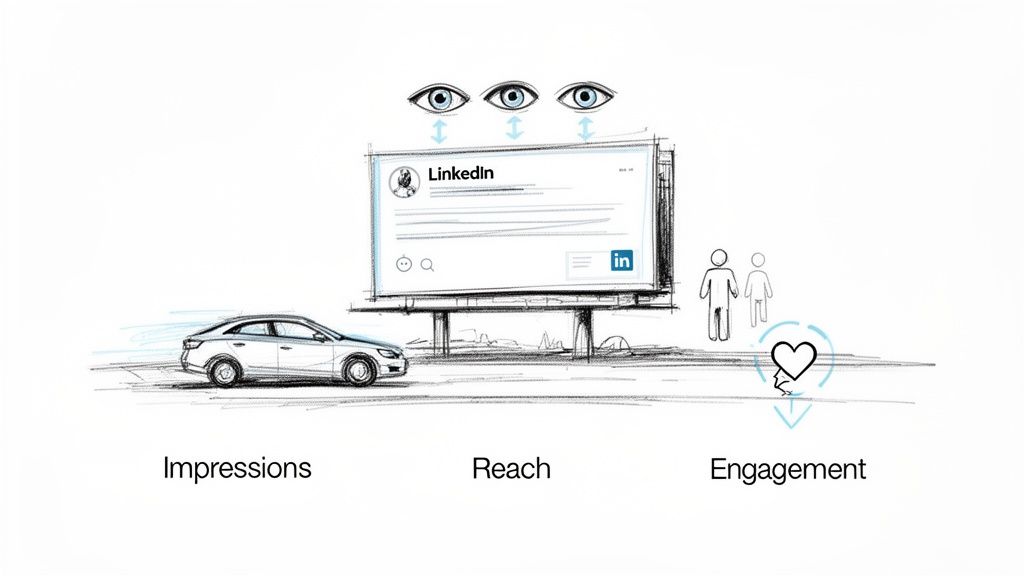
Let's start with a simple question: What exactly are impressions on LinkedIn? Think of it as a digital billboard on a busy highway. Every time a car drives by, that's one impression. It doesn't matter if it's the same car passing by multiple times—each pass counts.
On LinkedIn, an impression is the total number of times your content is shown to users. It’s the foundational metric for visibility and the very first step in building your professional influence on the platform.
What Impressions on LinkedIn Really Mean
So, what triggers that impression count to go up? It’s not just about your post appearing somewhere in the void. LinkedIn has a specific definition: an impression is officially logged only when at least 50% of your post is visible on a user's screen for a minimum of 300 milliseconds. It's a quick glance, but it's enough to confirm your content was actually served in someone's feed.
This metric is your earliest signal that something is happening with your content. Before you can get a single like, comment, or share, your post has to generate impressions first. A high impression count is a great sign—it means the LinkedIn algorithm is pushing your content out and giving it a chance to make an impact.
Distinguishing Key LinkedIn Metrics
It’s incredibly common to mix up impressions with two other crucial metrics: reach and engagement. Getting these straight is essential if you want to understand your analytics and build a content strategy that actually works.
To help you get a clear picture right from the start, here’s a quick comparison of these three fundamental metrics.
Key LinkedIn Metrics at a Glance
This table breaks down the three core metrics to help you distinguish them easily.
| Metric | What It Measures | Real-World Analogy |
|---|---|---|
| Impressions | The total number of times your content was displayed on-screen. | The number of times a flyer was handed out, even if some people got more than one. |
| Reach | The number of unique people who saw your content. | The number of individual people who received a flyer. |
| Engagement | The number of interactions (likes, comments, clicks) on your content. | The number of people who called the number on the flyer after reading it. |
Think of it this way: Impressions measure opportunity, reach measures audience size, and engagement measures impact. All three work together to tell the full story of your content's performance.
This kind of visibility is a huge deal on a platform with such a massive global user base. With over 1.15 billion members across more than 200 countries, a single well-crafted post can easily rack up thousands of impressions. You can find more details on these numbers in the latest LinkedIn statistics from Botdog.co.
Impressions, Reach, and Engagement: What's the Difference?
To really get a handle on your LinkedIn strategy, you have to understand how impressions play with two other key metrics: reach and engagement. They sound similar, but they tell very different stories about your content's performance.
Impressions are the total number of times your content was displayed on a screen. Reach, on the other hand, is the number of unique people who saw it. And engagement? That’s the good stuff—the likes, comments, and shares that show people are actually interacting.
Let's break it down with a simple analogy. Imagine you've put up a billboard on a busy highway.
- Impressions: The total number of times cars drove past your billboard. If the same person drives past it on their way to work and on their way home, that's two impressions.
- Reach: The number of unique drivers who saw your billboard. That commuter who saw it twice still only counts as one person reached.
- Engagement: The number of people who actually called the number on the billboard or visited the website.
It’s entirely possible for one person to give you multiple impressions. If someone sees your post in their feed and then sees it again when a connection of theirs shares it, that’s two impressions from just one person reached. This is a crucial distinction—it’s the difference between knowing how many times your message was seen versus how many people saw it.
How These Metrics Work Together
Looking at these numbers in a vacuum is a mistake. The real magic happens when you analyze them together, because the relationship between them tells you a story about what’s working and what isn't.
Think about it. A post gets 5,000 impressions but only reaches 1,000 people. What does that tell you? It means the average person in that small audience saw your post five times. That's great for brand recall with a core group, but it also signals that your content isn't really spreading to new networks.
Now, flip that scenario. A post gets 5,000 impressions and a reach of 4,500 people. This is fantastic! It means your content is going viral and reaching a wide, fresh audience. The downside might be that most people are only seeing it once, so it might not stick.
The sweet spot is a healthy balance: high impressions that lead to broad reach, all topped off with strong engagement. That’s the trifecta. It proves your content is not only being seen by lots of people but is also compelling enough to make them stop scrolling and take action.
Tying Your Metrics to Your Goals
So, which metric should you obsess over? The answer is: it depends entirely on your goal. There's no single "best" metric.
Your primary objective should dictate which data point you care about most.
-
Goal: Brand Awareness. If you just want to get your name out there, impressions and reach are your best friends. Your mission is to get in front of as many eyeballs as possible, as often as possible.
-
Goal: Lead Generation. Visibility is nice, but it doesn't pay the bills. For lead gen, you need action. Here, engagement and click-through rates are what truly matter. A post with a million impressions is a failure if nobody clicks the link to your webinar.
At the end of the day, impressions are the starting line. You can't get reach or engagement if no one sees your content in the first place. Think of impressions as the fuel for your entire LinkedIn engine. You can get a huge head start by figuring out the best times to post on LinkedIn, which helps ensure your content launches when your audience is most likely to see it.
Benchmarking Your LinkedIn Impression Performance
So, you’re keeping an eye on your LinkedIn impressions, but the million-dollar question is always looming: what’s a “good” number? The honest answer is that it completely depends. For an account with 500 followers, hitting 1,000 impressions is a massive win. For an account with 50,000 followers, that same number might feel like a flop.
Success isn't about chasing some universal magic number. It's about understanding what's actually achievable for you. Things like your industry, how many followers you have, and the kind of content you post all play a huge role. A much better way to gauge your performance is to calculate your impression-to-follower ratio. This simple metric gives you a far clearer picture of how well your content is breaking out beyond your immediate network.
Setting Realistic Industry Benchmarks
It’s no surprise that different professional fields see different levels of action on LinkedIn. Some industries are just naturally more active and engaged than others.
For example, people working in fast-moving sectors like tech and media average around 1,295 impressions per post. Meanwhile, folks in financial services tend to see something closer to 1,016 impressions. This kind of data gives you a solid baseline to work from. It also proves just how powerful a personal brand can be—posts from individual profiles can pull in up to 2.75x more impressions than company pages. That's a big reason why 77% of B2B marketers point to LinkedIn as their number one source for organic results. You can dig into more of this data with these LinkedIn statistics and insights on Metricool.com.
Instead of getting hung up on an arbitrary number, keep an eye on your impression rate. If you're consistently hitting 200-300% of your follower count in impressions, that’s a fantastic sign that your content is hitting the mark and the algorithm is showing it to new people.
How Content Format Impacts Impressions
The type of content you share makes a massive difference in how many impressions you can expect. At the end of the day, the algorithm rewards formats that keep people on the platform, and some formats are just better at grabbing attention in a crowded feed.
This is where you can start thinking strategically about how impressions, reach, and engagement all work together.
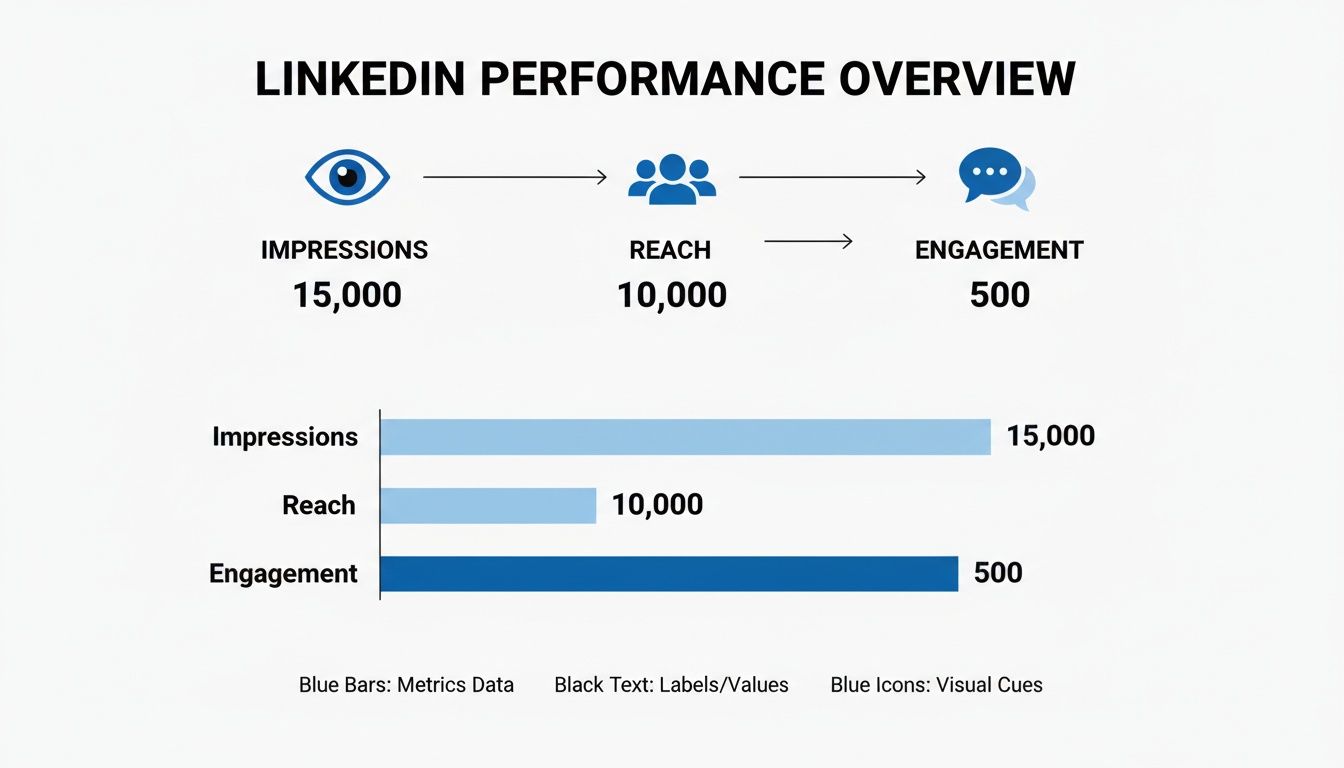
As you can see, impressions form the base of the entire performance funnel. They represent every single opportunity your content had to be seen.
If you want to maximize that initial visibility, it pays to focus on formats that consistently perform well:
- Carousels: These multi-slide documents are absolute gold for racking up impressions. Why? Because they increase "dwell time" as people swipe through your content.
- Videos: Native video (meaning, uploaded directly to LinkedIn) tends to get a nice little boost from the algorithm, giving it a wider initial distribution.
- Polls: You can't beat polls for generating quick, easy engagement. All those clicks send a strong signal to LinkedIn that your post is worth showing to a much larger audience.
By setting realistic goals based on your industry and audience size, and then testing out these high-performing formats, you can stop just counting your impressions. You can start building a smart, data-backed plan to consistently grow your visibility on the platform.
Seven Proven Strategies to Boost Your Impressions
Knowing what impressions are is one thing, but actually making those numbers climb is a whole different ballgame. Getting more eyes on your LinkedIn content isn't about luck. It’s about having a smart, consistent strategy that tells the algorithm your content is valuable and needs to be seen by a wider audience.
So, let's get out of the classroom and onto the field. Here are seven road-tested strategies you can start using today to seriously increase your impressions on LinkedIn. Each one is straightforward and effective, designed to help you turn those passive views into real opportunities for growth.
1. Master Your Timing
One of the easiest wins for getting more impressions is posting when your audience is actually online. It sounds simple, but you'd be surprised how many people get it wrong. Dropping a post at 10 PM on a Saturday just isn't going to cut it. The trick is to publish your content right when your network is scrolling, giving it the best possible shot at getting that crucial early traction.
While the general rule of thumb points to peak times between 9 AM and 11 AM from Tuesday to Thursday, your audience is unique. Pay attention to your own analytics to find your personal sweet spot—that initial flood of likes and comments is a massive signal to the algorithm.
2. Write an Irresistible Hook
You have less than two seconds to stop the scroll. The first line or two of your post—the hook—is everything. If your opening is weak, you've already lost, because no one will bother clicking "see more."
The best way to grab attention is with a proven storytelling framework. Try one of these:
- Ask a pointed question: Start with a question your audience is dying to answer. Think, "Are you making this common mistake in your sales outreach?"
- State a bold opinion: A slightly controversial or counterintuitive take can be a magnet for attention. For example, "Forget cold calling. This is the only outreach method that actually works in 2024."
- Use a numbered list: Promise a clear, easy-to-digest solution. Something like, "Here are 3 simple ways to double your lead generation this quarter."
A powerful hook is your ticket to higher dwell time and more engagement, which are the key ingredients for boosting your impressions on LinkedIn.
3. Mix Up Your Content Formats
If you're only posting text, you're leaving a huge opportunity on the table. The LinkedIn algorithm loves content that keeps people on the platform, and some formats are just plain better at grabbing and holding attention. To really maximize your impressions, you need to diversify.
The numbers don't lie. While the average post might reach about 6% of your followers, certain formats blow that out of the water. Carousels can expand your reach by a massive 250%, and videos can boost impressions by 73% while getting 52% more views. Even a simple image post often doubles the number of comments, and live video? That can generate an incredible 24x more engagement.
4. Always Post from a Personal Profile
Company pages have their place for official announcements, but for organic reach, personal profiles are in a completely different league. It's a simple truth: people connect with people, not logos. Content shared from a personal profile just feels more authentic and human, which naturally leads to way more engagement.
Data consistently shows that posts from personal profiles get up to 2.75x more impressions and 5x more engagement than the same content from a company page. Get your key team members on board to become brand advocates and share content from their own accounts.
5. Engage 20 Minutes Before and After You Post
Don't just post and ghost. What you do in the 15-20 minutes before and after you hit "publish" can make or break your post's reach. Before you post, warm up the algorithm by being active in your feed. Go leave a few thoughtful comments on other people's content to show you're a real, engaged member of the community.
Once your post is live, stick around. Respond to comments as they come in. This immediately sparks conversation, which is a huge green light for the LinkedIn algorithm. If you need some ideas for posts that naturally get people talking, check out our guide on what to post on LinkedIn.
6. Use Hashtags and Mentions Strategically
Hashtags are like signposts that help LinkedIn categorize your content and show it to people who don't even follow you yet. The sweet spot is 3-5 relevant hashtags. Use a mix of broad tags (like #Marketing) and more niche ones (like #B2BContentStrategy) to cast a wider net.
Tagging relevant people or companies (@mention) is another great way to give your impressions a nudge. When you mention someone, they get a notification, which often prompts them to jump in, engage, and expose your post to their entire network.
7. Post with Unwavering Consistency
Last but definitely not least, the secret weapon is consistency. Posting once a month just won't build any momentum. When you show up regularly, you train both the algorithm and your audience to expect content from you.
Find a rhythm that you can actually stick with, whether it's three times a week or five. This steady drumbeat builds trust and keeps you top-of-mind, which is how you achieve sustainable growth in your impressions over time.
How to Analyze Impression Data in LinkedIn Analytics
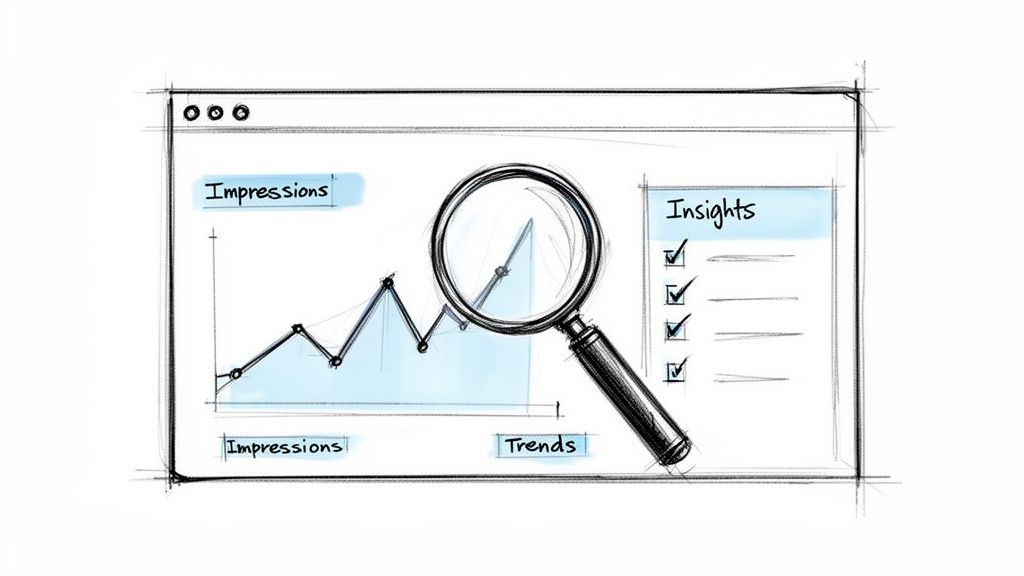
If you want to create content that consistently hits the mark, you have to get comfortable with your numbers. Diving into LinkedIn Analytics isn't about getting lost in a spreadsheet; it's about uncovering the story your performance data is trying to tell you. Think of this dashboard as your command center for spotting what’s a hit and what’s a miss.
You can check impressions on individual posts or track your profile's overall performance over time. The real magic, though, happens when you start spotting trends. Did a certain post suddenly spike? Was it a video, a text-only update, or a carousel? Pinpointing these patterns is the first step toward making that lightning strike twice.
Locating Your Impression Data
Thankfully, LinkedIn doesn't bury this crucial information. Whether you're looking at your personal profile or a Company Page, the numbers you need are just a couple of clicks away.
For any post you've shared, just click the little analytics icon (it looks like a small bar chart) right below the content. This opens up a detailed view with all the key stats for that specific update.
This quick snapshot gives you an immediate count of how many eyeballs landed on your post, making it the perfect starting point for measuring visibility.
Interpreting the Numbers and Finding Patterns
Okay, you've found your data. Now for the fun part. A big impression number looks great, but what does it actually mean for your strategy? To get the whole picture, you need to add some context.
Never look at impressions in a vacuum. You have to weigh them against your engagement metrics. For example, a post with 10,000 impressions but only 10 likes tells a very different story than one with 2,000 impressions and 200 likes. The second post clearly connected on a much deeper level with the audience it reached.
The goal isn't just to be seen; it's to be remembered. Analyzing impressions alongside comments and shares helps you distinguish between fleeting visibility and genuine impact.
Use your analytics to start asking smarter questions that will guide your content from now on.
- Which topics consistently get the most views? This is a direct signal of what your audience wants to learn from you.
- Do certain formats get more impressions? See how carousels, videos, and text posts stack up. It will help you decide where to invest your creative energy. For instance, you could try building some engaging slides with a quality LinkedIn carousel generator to see if that format gives your numbers a lift.
- What time of day gives my posts the biggest initial boost? A little insight here can help you fine-tune your posting schedule for maximum reach right out of the gate.
By making a habit of checking your analytics, you move from guesswork to smart, data-backed decisions. This transforms your analytics from a simple report card into a strategic roadmap for creating your next great piece of content.
A Few Common Questions We Hear About LinkedIn Impressions
Even when you've got the basics down, a few nagging questions about impressions always seem to pop up. It's totally normal. Getting these sorted is what separates the pros from the people just posting and hoping for the best.
Let’s clear up some of the most common points of confusion so you can feel more confident reading your analytics.
Do My Own Views Count as Impressions on LinkedIn?
This is a classic. The short answer is no, your own views on your posts don't add to your impression count. Think of it this way: LinkedIn wants to measure how many other people see your content. It's about your external reach, not self-admiration.
An impression is only triggered when your post shows up on the screen of another logged-in LinkedIn member. This keeps the metric clean and gives you a real-world picture of who your content is actually reaching.
Why Did My LinkedIn Impressions Suddenly Drop?
It's a sinking feeling, isn't it? One week you're flying high, the next your numbers have tanked. When you see a sudden drop in impressions, it's usually down to one of a few common culprits.
First, the LinkedIn algorithm is always evolving. A small tweak on their end can have a big impact on what kind of content gets priority. It’s also possible your content just isn't hitting the mark like it used to, or you're posting at times when your audience is offline.
To figure it out, look at your recent posts. Is there a pattern? Maybe video isn't performing anymore, but text-only posts are. Try experimenting with different formats—like polls or carousels—and see what moves the needle.
Can I Buy Impressions on LinkedIn?
Absolutely. This is exactly what LinkedIn Ads are for. If you need to guarantee visibility for a product launch, a big company announcement, or a key piece of content, paying for impressions is a direct way to do it.
When you run an ad campaign with a Brand Awareness objective, you're essentially paying to place your content in front of a specific audience. The cost is typically measured in CPM, or Cost Per 1,000 Impressions. It's a perfectly legitimate strategy for amplifying your most important messages.
Just remember that paid and organic efforts work best together. A strong organic presence built on quality content is what creates a sustainable growth engine.
How Long Does LinkedIn Count Impressions For?
Impressions are tallied for the entire life of your post. While you'll see a massive surge in the first 24 to 48 hours, a post can keep collecting impressions for weeks, months, or even longer.
This "long-tail" effect is one of LinkedIn's superpowers. An older post can get a second wind when someone:
- Shares it, pushing it out to their entire network.
- Comments on it, bumping it back into people's feeds.
- Finds it via search using relevant keywords.
This is why creating high-quality, evergreen content is so valuable. It can keep working for you long after you hit "post."
Ready to stop guessing and start growing? LinkPilot is your AI-powered agent for planning, creating, scheduling, and analyzing your LinkedIn content. Turn insights into action and build your brand without the burnout. Start for free at LinkPilot.