Staring at a blank LinkedIn post editor can feel paralyzing. The pressure to be insightful, engaging, and professional all at once often leads to posting nothing at all, or worse, falling back on generic content that blends into the noise. This isn't just about finding something to say; it’s about crafting content that builds authority, drives meaningful engagement, and achieves specific career or business goals.
The real challenge in determining what to post on LinkedIn isn't a lack of ideas but a lack of strategy. Vague tips like "share your thoughts" or "be consistent" are useless without a practical framework. You need to know which content types reliably connect with a professional audience, how to structure them for maximum impact, and which formats are currently favored by the algorithm.
This comprehensive guide moves beyond obvious advice. We will break down 12 distinct, high-impact content categories that are proven pillars for building a powerful LinkedIn presence. You will find actionable hooks, practical templates, and real-world examples designed to help you create content that not only gets seen but gets remembered.
Instead of facing a blank page, you will have a strategic playbook. We’ll cover everything from sharing industry insights and personal stories to creating engaging carousel posts and contrarian takes. The goal is to transform that empty editor from a source of stress into a canvas for strategic growth, equipping you with the specific tools needed to generate leads, build your personal brand, and establish yourself as a thought leader in your field.
1. Industry Insights, Trend Analysis & News Commentary
Sharing your perspective on emerging industry trends, market data, and timely news establishes you as an informed, strategic thought leader. Instead of simply reporting the news, you are analyzing it, providing your unique viewpoint, and helping your audience understand what it means for them. This positions you as the go-to expert in your field and is a powerful way to decide what to post on LinkedIn to attract a high-quality audience.

This type of content works because it provides immediate value and context. Professionals are busy; they rely on trusted sources to distill complex information. By offering a sharp, well-reasoned take on a recent development, you save them time and help them make better decisions.
How to Implement This Post Type
- Act Quickly: The value of news commentary diminishes over time. Aim to share your take within 24-48 hours of a major announcement.
- Add Your Unique Angle: Don’t just summarize. Ask "So what?" What are the second-order effects? What is everyone else missing? Your unique prediction or contrarian take is what makes the content valuable.
- Cite Your Sources: Link to the original report, article, or data source. Including specific numbers and citing credible sources builds trust and authority.
- Engage with Questions: End your post by asking your network for their opinion. For example, "What's your take on this acquisition? Do you see it impacting your strategy?"
Example Prompt: "The latest [Industry Name] report just dropped, showing a [specific statistic, e.g., 25% increase in X]. Most people are focused on [common interpretation], but I believe the real story is [your unique insight]. Here’s why this matters for [your target audience]..."
2. Personal Stories & Behind-the-Scenes Content
Sharing authentic narratives about your professional journey, challenges overcome, and lessons learned humanizes your personal brand. Instead of only posting polished wins, you are revealing the relatable process behind the success, creating genuine emotional connections. This approach transforms you from a faceless expert into a trusted individual, which is a key differentiator when deciding what to post on LinkedIn to build loyalty.
This type of content works because vulnerability builds trust. People connect with people, not just job titles. By sharing a story about a mistake, a moment of doubt, or a hard-won lesson, you give your audience permission to be imperfect too, fostering a much deeper and more memorable bond than a simple highlight reel ever could.
How to Implement This Post Type
- Structure Your Narrative: Use a simple storytelling framework. Start with a strong hook (the problem), build tension (the struggle), reveal the climax (the turning point), and conclude with the key takeaway or lesson learned.
- Focus on the "So What?": Every story must have a point. Clearly articulate the actionable insight your audience can apply to their own careers. What did you learn, and how can they benefit from your experience?
- Be Authentic, Not Overly Personal: Share professional vulnerabilities, not private life details. The goal is to be relatable within a business context. Think: a failed project, a tough client negotiation, or a moment of career uncertainty.
- Use Visuals: Pair your story with an authentic photo or a short video. A simple, non-stock photo of you or your workspace can dramatically increase engagement and make the story feel more real.
Example Prompt: "Early in my career, I made a massive mistake that nearly cost me my biggest client. I [describe the mistake briefly]. The panic was real. But what I did next taught me the most valuable lesson about [the topic, e.g., accountability]. Here’s the 3-step process I used to turn it around..."
3. Carousel Posts with Actionable Tips
Carousel posts, or multi-slide documents, break down complex topics into digestible, sequential lessons. Instead of presenting all your information at once, you guide your audience through a step-by-step process or list. This format is a fantastic idea for what to post on LinkedIn because it encourages longer dwell time on your content, a key metric favored by the platform’s algorithm.
This type of content works because it gamifies learning. The act of swiping creates a "curiosity loop" that keeps users engaged from one slide to the next. By delivering value in a visually appealing, easy-to-consume format, you position yourself as a helpful expert who simplifies complex subjects for your audience.
How to Implement This Post Type
- Hook with a Strong Title Slide: Your first slide is your headline. Use a curiosity gap hook like "7 Mistakes to Avoid When..." or a bold statement to grab attention immediately.
- One Idea Per Slide: Avoid overwhelming your audience. Dedicate each slide to a single, clear point supported by a simple visual or icon. Keep text minimal and fonts readable.
- Maintain Brand Consistency: Use your brand colors, fonts, and logo to create a cohesive and professional look. Tools like a LinkedIn carousel generator can help you design on-brand slides quickly.
- End with a Clear CTA: The final slide is your chance to direct action. Ask a question to spark comments, invite followers to save the post, or direct them to a resource in the comments.
Example Prompt: "I've made every marketing mistake in the book. Swipe to see the 5 most common (and costly) ones so you don't have to. → Let's start with #1: Ignoring your customer data..."
4. Contrarian Takes & Unpopular Opinions
Challenging a widely held belief in your industry is one of the fastest ways to capture attention and spark meaningful debate. This strategy involves presenting a well-reasoned argument against conventional wisdom, forcing your audience to re-evaluate their assumptions. This positions you as a critical, independent thinker and is an excellent idea for what to post on LinkedIn to stand out from the crowd.
This type of content works because it disrupts the monotonous echo chamber often found on professional platforms. A thoughtful, contrarian take can generate significant engagement, from supportive comments to respectful rebuttals, all of which boosts your visibility. It signals confidence and deep expertise, as you’re not just repeating what others say.
How to Implement This Post Type
- Lead with Logic, Not Just Opinion: Your take must be backed by data, a specific case study, or a logical framework. An unsupported opinion will come across as mere provocation.
- Use the P-A-S Framework: Structure your argument effectively. Problem: State the common belief. Agitate: Explain why that belief is flawed or leads to poor outcomes. Solution: Present your alternative viewpoint and its benefits.
- Keep it Professional: The goal is to stimulate intellectual discussion, not to attack individuals. Focus on ideas and avoid personal criticism. Be prepared to defend your position thoughtfully in the comments.
- Invite Counterarguments: End your post by encouraging respectful disagreement. For example, "This is my view, but I'm open to being wrong. What am I missing here?"
Example Prompt: "Unpopular opinion: The traditional B2B sales funnel is dead. Everyone obsesses over [common practice, e.g., MQLs], but this approach ignores [critical flaw, e.g., the non-linear buyer journey]. Instead, we should be focusing on [your solution, e.g., creating demand through ungated content]. What’s your take?"
5. Educational Content & How-To Guides
Sharing practical, instructional content that teaches your audience a specific skill or process is one of the fastest ways to build trust and authority. Instead of just talking about your expertise, you are actively demonstrating it. These posts are highly valuable because they offer immediate utility, making them prime candidates for saves and shares. This is a foundational strategy for what to post on LinkedIn to attract an audience that sees you as a credible resource.
This type of content works because it directly addresses your audience's pain points with actionable solutions. When you teach someone how to solve a problem, you create a powerful connection and position your services as the logical next step for more complex challenges. The goal is to be generously helpful, building a reputation as the go-to expert.
How to Implement This Post Type
- Be Specific: Focus on a niche problem. Instead of "How to market your business," create a guide on "A 5-step framework for qualifying B2B sales leads." Specificity increases perceived value.
- Structure for Clarity: Use numbered lists, carousels, or clear step-by-step instructions. A simple framework like PAS (Problem, Agitate, Solution) can effectively frame your how-to content.
- Include Actionable Resources: Offer a downloadable checklist, template, or script. This not only enhances the value but also serves as a great lead magnet to build your email list.
- Create a Series: Break a larger topic into a multi-part series to build anticipation and encourage followers to return. Time your posts effectively by understanding the best time to post on LinkedIn for maximum engagement.
Example Prompt: "Struggling with [common problem]? Most people make the mistake of [common error]. Here is a simple 3-step process you can use today to [achieve desired outcome]: 1. [Step 1], 2. [Step 2], 3. [Step 3]. What's the biggest challenge you face when it comes to [topic]?"
6. Video Content & Thought Leadership Talks
Video allows you to build a powerful, direct connection with your audience by putting a face and voice to your expertise. Sharing short-form videos of you speaking about industry insights, offering quick advice, or reacting to news humanizes your brand and can be highly favored by the LinkedIn algorithm, especially when it feels authentic and conversational.
This type of content works because it conveys nuance, personality, and conviction in a way text cannot. Viewers can hear the passion in your voice and see your conviction, which builds trust much faster than a standard text post. It’s an effective way to decide what to post on LinkedIn to stand out in a crowded feed and create a memorable presence.
How to Implement This Post Type
- Hook Immediately: Grab attention in the first 2-3 seconds. Start with a provocative question, a surprising statistic, or a relatable problem.
- Speak Authentically: Ditch the rigid script. Speak naturally and conversationally, as if you're talking to a colleague over coffee. Authenticity resonates more than perfect production.
- Always Use Captions: A large portion of users watch videos with the sound off. Use built-in captioning tools or third-party apps to ensure your message is accessible to everyone.
- Keep it Concise: Aim for videos between 45 and 120 seconds. This length is ideal for holding attention while delivering a substantive piece of advice or a key insight.
Example Prompt: (Speaking to camera) "You're trying to close more deals, but have you considered this? The biggest mistake I see sales reps make is [common mistake]. Instead of doing that, try [actionable tip]. This shifts the dynamic from a sales pitch to a consultation. Let me know if you’ve tried this."
7. Case Studies & Success Stories
Showcasing detailed examples of how you or a client achieved specific, measurable results is one of the most powerful forms of social proof. Case studies move beyond claims and provide tangible evidence of your expertise and the return on investment you deliver. This is an essential tactic when deciding what to post on LinkedIn to convert followers into qualified leads.
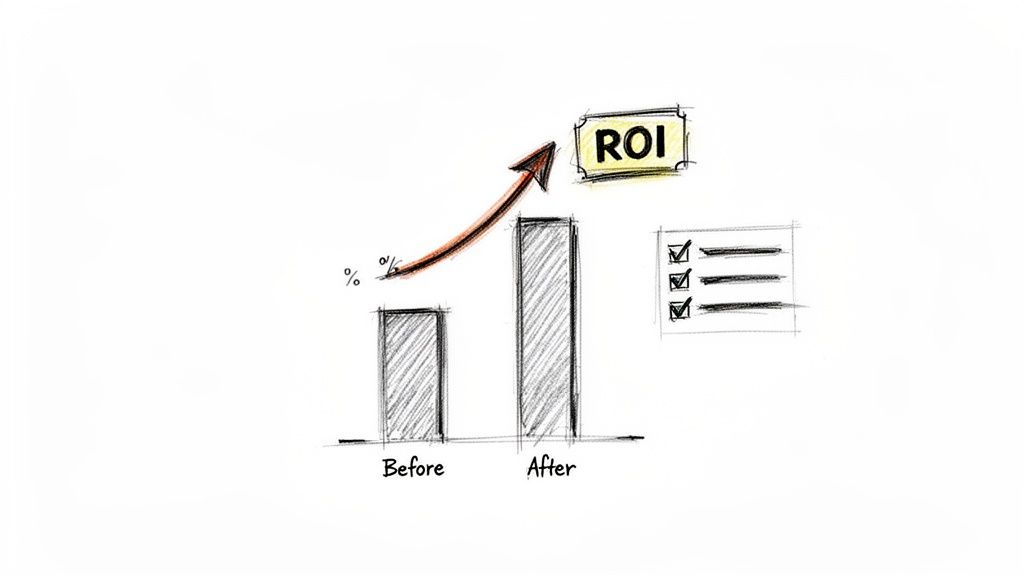
This content works because it directly answers a potential client's core question: "Can you get results for someone like me?" By detailing the problem, your solution, and the impressive outcome, you build immense trust and credibility. It allows prospects to see themselves in the success story, making your service feel less like a cost and more like a strategic investment.
How to Implement This Post Type
- Lead with the Result: Start your post with the most impressive metric to grab attention immediately. Numbers are powerful hooks.
- Structure as a Story: Frame the case study with a clear beginning (the challenge), middle (your strategy), and end (the results). Addressing obstacles you overcame makes the story more relatable and believable.
- Use Visual Formats: Detailed case studies are perfect for carousels or document uploads (PDFs). Each slide or page can break down a different phase of the project, from strategy to execution to final ROI.
- Get Permission: Always secure client approval before sharing their story and be mindful of any proprietary information. Tagging them (with permission) can add another layer of authenticity.
Example Prompt: "How did we help a B2B SaaS client reduce their Customer Acquisition Cost by 40% in just 90 days? It wasn't about a bigger budget. It was about a smarter strategy. Here's the 3-step framework we used: 1. [First Step], 2. [Second Step], 3. [Third Step]. The biggest lesson was..."
8. Polls & Interactive Questions
LinkedIn polls and interactive questions are powerful tools for sparking direct audience engagement. This format invites your network to participate with a single click, making it a low-friction way to generate conversation, conduct informal market research, and validate ideas. Instead of just broadcasting a message, you’re creating a two-way dialogue, which the LinkedIn algorithm often rewards.
This type of content works because it taps into people's desire to share their opinions and see how they compare to others. For professionals trying to decide what to post on LinkedIn, polls offer a direct line to understanding their audience's pain points, preferences, and challenges, providing invaluable data to inform future content and business strategy.
How to Implement This Post Type
- Ask About Real Dilemmas: Frame your poll around a genuine challenge or decision your target audience faces. Avoid obvious questions with a clear "correct" answer.
- Make Options Meaningful: Ensure each poll option is a genuinely viable choice. This encourages more thoughtful participation and provides you with more nuanced data.
- Follow Up with Analysis: Don’t just post a poll and forget it. After it closes, create a follow-up post. Share the results, offer your analysis, and explain what the data means. This demonstrates thought leadership and closes the loop.
- Combine with an Open-Ended Question: Use the post copy to ask a related open-ended question. For example, "I voted for Hybrid. For those who agree, what’s the ideal in-office to remote ratio? Let me know in the comments."
Example Prompt: "For B2B marketers, what's the biggest challenge in Q3? [Poll: Lead Generation vs. Content Creation vs. Sales Enablement vs. Reporting/Analytics]. We're seeing a big shift toward [Your Observation]. Cast your vote and drop your specific challenge in the comments below!"
9. Failures & Lessons Learned
Sharing stories of failures, mistakes, and setbacks humanizes your professional brand and builds deep trust. Instead of only showcasing wins, this content reveals the resilience and growth that come from adversity. When you openly discuss a lesson learned the hard way, you provide immense value and create a powerful, relatable connection with your audience.
This type of content works because it counters the "highlight reel" culture often seen on professional platforms. Vulnerability, when framed as a learning opportunity, is a magnet for engagement. It shows you're not just an expert with all the answers, but a real person who has navigated challenges, making your successes even more credible. This is a strategic idea for what to post on LinkedIn to build an authentic community.
How to Implement This Post Type
- Focus on the Takeaway: The goal isn't to vent or seek sympathy. The core of the post must be the actionable lesson you extracted from the experience.
- Structure Your Story: A proven formula is: 1. The Goal: What were you trying to achieve? 2. The Failure: What went wrong and why? 3. The Lesson: What was the key insight you gained? 4. The Change: How do you operate differently now because of it?
- Choose "Closed-Loop" Failures: Share stories where you have already processed the failure and can clearly articulate the growth that resulted. Avoid discussing fresh wounds.
- Be Specific, Not Vague: Don't just say "a project failed." Explain the specific misstep, like "Our targeting was too broad, resulting in a 90% unqualified lead rate and a wasted ad budget."
Example Prompt: "In 2022, I lost our biggest client. It was devastating. The mistake? I focused 100% on delivery and 0% on relationship management. I assumed great work was enough. Here’s the lesson that failure taught me about client retention and the 3-step communication system I built to ensure it never happens again..."
10. Motivational & Inspirational Content
Effective motivational content on LinkedIn goes beyond generic quotes. It involves sharing authentic stories of resilience, reframing failure, or challenging common mindset blocks to inspire your audience. Instead of just cheerleading, you tie powerful insights to real experiences, making the encouragement tangible and actionable. This builds a strong, human connection and is a great idea for what to post on LinkedIn to resonate on a deeper level.
This type of content works because it acknowledges the real struggles professionals face. By sharing a personal story about overcoming a setback or offering a counterintuitive perspective on success (like the importance of rest), you validate your audience's experience while empowering them. It positions you not just as an expert, but as a relatable and wise guide.
How to Implement This Post Type
- Ground It in Experience: Share a specific, personal story. Instead of saying "failure is a stepping stone," describe a time you failed and what you specifically learned from it.
- Avoid Clichés: Steer clear of overused quotes and generic "hustle culture" platitudes. Offer a fresh perspective, like the strategic value of saying "no" or the power of vulnerability in leadership.
- Tie Motivation to Action: Don't just inspire a feeling; inspire a tangible next step. Challenge your audience with a specific reflection question or a small action they can take that day.
- Acknowledge the Struggle: True inspiration isn't about pretending challenges don't exist. Acknowledge the difficulty of a situation before offering a new way to think about it. This builds trust and makes your message more powerful.
Example Prompt: "We're told to celebrate wins, but what about the failures? Last year, we lost a major client, and it felt like the end. But that loss forced us to [specific action, e.g., diversify our service offerings]. Here's the uncomfortable truth: that failure was the catalyst for our biggest growth. What's a 'failure' you're now grateful for?"
11. Resource Recommendations & Tool Reviews
Curating and sharing high-quality resources, tools, books, or courses positions you as a helpful guide who saves your audience valuable time and effort. Instead of just listing resources, you are providing a vetted recommendation, explaining the specific benefits, and contextualizing who it's for. This builds trust and makes you a go-to person for valuable information in your niche.
This type of content is effective because it offers a direct shortcut to a solution. Professionals are constantly searching for better ways to work, and a trusted peer review is often more powerful than a company's marketing copy. By sharing what works for you, you provide immense value and create a reciprocal sense of community.
How to Implement This Post Type
- Be Genuine and Specific: Only recommend tools and resources you have personally used and genuinely value. Explain why it's good, detailing a specific feature or outcome it helped you achieve.
- Define the Ideal User: Not every tool is for everyone. Clarify who would benefit most from your recommendation. For instance, "This CRM is perfect for solopreneurs, but might not scale for an enterprise team."
- Share Both Pros and Cons: A balanced review that includes a minor limitation or a specific use case makes your recommendation more credible and trustworthy.
- Tag the Creator or Company: Mention the company, author, or creator of the resource. This fosters goodwill, increases the post's visibility, and can start valuable conversations.
Example Prompt: "I recently switched from [Old Tool] to [New Tool] for [specific task], and the results have been incredible. The key feature that sold me was [Specific Feature], which saved me [X hours/week]. While [Old Tool] is great for [a different use case], I'd highly recommend [New Tool] for any [your target audience] looking to [achieve a specific goal]..."
12. Predictions & Future-Focused Commentary
Sharing specific, testable predictions about your industry's future positions you as a forward-thinking leader. Instead of just analyzing the present, you are forecasting what's next, signaling deep strategic insight. This type of content is highly engaging and can become a benchmark your audience refers back to, cementing your authority on what to post on LinkedIn to build a loyal following.
This content works because it invites discussion and demonstrates confidence. By making a clear, bold prediction, you create a strong point of view that separates you from others who only comment on past events. It shows you're not just a participant in your industry; you're actively shaping its future narrative.
How to Implement This Post Type
- Be Specific and Testable: Avoid vague statements. Instead of "AI will change sales," try "By 2025, over 50% of B2B sales outreach will be initiated by an AI agent, making human-led personalization the key differentiator." This approach is more credible and memorable.
- Ground It in Data: Base your predictions on observable trends, emerging data, or first-hand experience. Mention the "why" behind your forecast to make it more compelling.
- Set a Timeframe: A prediction is stronger when it has a deadline. Specify whether you're talking about the next 6 months, 2 years, or 5 years. This also gives you an opportunity to revisit it later.
- Revisit Your Predictions: Periodically check in on your past predictions. Acknowledge when you were right to build credibility and analyze where you missed the mark to show transparency and a commitment to learning. Understanding the future of AI-powered networking can help you formulate more accurate forecasts.
Example Prompt: "Here's a bold prediction for the [Industry Name] space: By Q4 [Year], [specific outcome] will become the new standard, rendering [current method] obsolete. This is driven by [Trend 1] and [Trend 2]. Companies that don't adapt will face [specific consequence]. What's your take?"
12 LinkedIn Post Types Comparison
| Content Type | Implementation (🔄 Complexity) | Resources & Speed (⚡) | Expected Outcome (⭐ Quality/Impact) | Ideal Use Cases (📊) | Quick Tip (💡) |
|---|---|---|---|---|---|
| Industry Insights, Trend Analysis & News Commentary | Medium–High 🔄 Requires monitoring and rapid angle development | Moderate ⚡ Research tools, data sources, fast publishing | ⭐⭐⭐⭐ Builds authority and timely engagement when accurate | Market commentary, PR response, trend leadership | Cite sources, add unique prediction, post quickly |
| Personal Stories & Behind-the-Scenes Content | Medium 🔄 Narrative craft and careful vulnerability | Low–Moderate ⚡ Time for drafting and personal media | ⭐⭐⭐⭐ High engagement and audience loyalty | Founder narratives, culture building, humanization | Use AIDA, include actionable takeaway |
| Carousel Posts with Actionable Tips | High 🔄 Multi-slide content architecture and design work | High ⚡ Design tools, image assets, templating speed production | ⭐⭐⭐⭐ Highly engaging, shareable, good for lead-gen | Step-by-step guides, frameworks, process breakdowns | One idea per slide; strong hook + CTA |
| Contrarian Takes & Unpopular Opinions | Medium 🔄 Argumentation and nuance to avoid alienation | Low–Moderate ⚡ Research + moderation time for debate | ⭐⭐⭐⭐ High visibility and debate-driven engagement (polarizing) | Positioning, sparking debate, audience segmentation | Lead with data, invite respectful counterpoints |
| Educational Content & How-To Guides | High 🔄 Requires deep expertise and clear structure | Moderate–High ⚡ Time, examples, downloadable assets | ⭐⭐⭐⭐⭐ High authority, saves, and conversion potential | Training, evergreen how-tos, lead magnets | Provide templates; use AIDA/PAS frameworks |
| Video Content & Thought Leadership Talks | High 🔄 On-camera skill, recording and editing | High ⚡ Camera/phone, basic editing, captions for accessibility | ⭐⭐⭐⭐⭐ Strong reach and personal connection | Short explainers, CEO updates, quick tips | Hook in 3s, captions, keep 45s–2min |
| Case Studies & Success Stories | High 🔄 Data collection, narrative, and client approvals | High ⚡ Access to metrics, design, client permissions | ⭐⭐⭐⭐⭐ Top trust-builder; drives qualified leads | Sales enablement, proof of ROI, B2B conversion assets | Lead with the key metric and timeframe; get sign-off |
| Polls & Interactive Questions | Low 🔄 Simple setup but requires meaningful follow-up | Low ⚡ Minimal tools; schedule for peak participation | ⭐⭐⭐ Good engagement and quick audience insights | Market research, validation, conversation starters | Ask real dilemmas; follow up with results analysis |
| Failures & Lessons Learned | Medium 🔄 Vulnerable framing to show growth, not weakness | Low–Moderate ⚡ Time to reflect and craft narrative | ⭐⭐⭐⭐ Builds authenticity, empathy, and trust | Leadership lessons, culture posts, coaching content | Show what changed and actionable lessons |
| Motivational & Inspirational Content | Low–Medium 🔄 Needs authentic grounding to avoid clichés | Low ⚡ Minimal resources; benefits from occasional visuals | ⭐⭐⭐ Emotional resonance and shareability if genuine | Community building, mindset reframes, short encouragements | Ground motivation in real experience and actions |
| Resource Recommendations & Tool Reviews | Low 🔄 Quick curation but needs honest pros/cons | Low ⚡ Use of the tool, concise review, disclosure if affiliate | ⭐⭐⭐ Positions you as curator; drives clicks and referrals | Tool roundups, book picks, course recommendations | Recommend only used resources; disclose affiliations |
| Predictions & Future-Focused Commentary | Medium–High 🔄 Data-backed forecasting and clear timeframes | Moderate ⚡ Research, trend data, periodic follow-ups | ⭐⭐⭐⭐ High thought-leadership potential; reputational risk if wrong | Annual outlooks, strategic positioning, trend forecasting | Make testable predictions, state timeframe, revisit later |
From Ideas to Impact: Building Your LinkedIn Content System
Navigating the landscape of professional content creation can feel overwhelming. With a dozen distinct formats to choose from, the question isn't just "what to post on LinkedIn," but how to transform these ideas into a powerful, consistent engine for brand growth. This guide has armed you with a comprehensive toolkit, moving beyond generic advice to provide actionable templates, real-world examples, and strategic insights for every type of content, from insightful trend analysis to vulnerable stories about lessons learned.
The true takeaway is that success on LinkedIn isn't about mastering all twelve formats at once. It's about strategic selection and disciplined execution. The most influential voices on the platform don’t just post; they build a content ecosystem. They understand that a well-crafted carousel of actionable tips can establish authority, while a behind-the-scenes story builds human connection and trust. A contrarian take sparks debate and boosts visibility, while a detailed case study provides the social proof needed to convert followers into clients.
Synthesizing Your Strategy: From List to Action Plan
The path from content consumer to content creator begins with a simple, sustainable plan. Instead of feeling pressured to produce a new video, a poll, and a long-form article every week, focus on building a core content rhythm. This is where you move from a list of ideas to an intentional system.
-
Select Your "Pillar" Formats: Choose 2-3 content types from this list that feel most authentic to you and align with your business goals. If you're a data-driven consultant, perhaps your pillars are Industry Insights, Case Studies, and Educational Carousels. If you're a founder building a personal brand, you might lean into Personal Stories, Failures & Lessons Learned, and Video Content.
-
Create a Simple Cadence: Don't aim for daily posts from day one. Start with a manageable schedule, like posting three times a week. Assign one of your pillar formats to each day. For example: Monday (Educational Carousel), Wednesday (Personal Story), Friday (Industry Commentary). This consistency trains your audience to expect value from you on a regular basis.
-
Batch and Repurpose: The secret to avoiding content burnout is efficiency. Dedicate a few hours one day to outline your posts for the upcoming weeks. A single piece of research for an "Industry Insights" post can be repurposed. The core data can become a text post, the key takeaways can be designed into a carousel, and a deeper dive can be filmed as a short video.
Key Insight: Your LinkedIn presence is a long-term asset, not a short-term sprint. A simple, repeatable system that you can execute consistently will always outperform sporadic, high-effort posts that lead to burnout. The goal is to build momentum, not to achieve perfection with every single post.
The Ultimate Goal: Building Your Professional Legacy
Mastering what to post on LinkedIn is about more than just generating leads or increasing profile views. It's about strategically building your professional legacy, one thoughtful post at a time. Each piece of content is a digital breadcrumb that leads back to your expertise, your values, and your unique perspective. It’s your opportunity to teach, to inspire, to challenge, and to connect with a global network of peers, clients, and collaborators.
By implementing the strategies outlined in this article, you are no longer just a passive participant in your industry’s conversation; you are actively shaping it. You are transitioning from an observer to an authority. This is the ultimate power of a well-executed content strategy: it amplifies your voice, scales your influence, and builds a brand that works for you even when you’re not online. The ideas are here. The templates are ready. Now, it's time to build.
Tired of staring at a blank screen wondering what to post on LinkedIn? Let AI be your content co-pilot. LinkPilot uses advanced AI to research, write, and schedule a month's worth of high-quality LinkedIn content in minutes, so you can focus on engagement and building relationships. Start your free trial today and see how easy content creation can be.